
Resend Request
Open a captured request in the request editor, change anything about it, send it again, and see the new attempt in your request log next to the original
Resend Request turns any request in your log into a starting point. Open it in the request editor, change the method, URL, query parameters, headers or body, and send it. ApiTraffic sends it from its servers, shows you the response, and logs the new attempt as a request of its own, linked back to the one it came from.
Use it to check a fix against the exact request that failed, try a call with a corrected payload, or reproduce a problem without rebuilding the request by hand.
Who can use it
Anyone who can change the bucket (owners, admins and members) can resend its requests. It is not offered on the read-only sample bucket.
Resent requests are logged and counted like any other captured request, so they draw on your plan’s request allowance. If your account cannot log requests right now (for example, the allowance for this billing period is used up), the request is not sent.
Resend a request
Open Resend Request
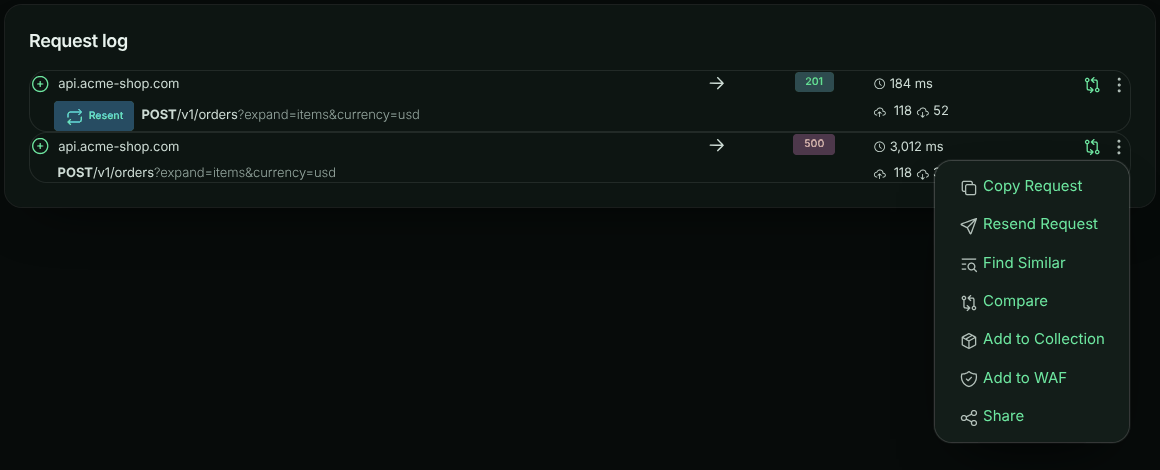
In the request log, open the ⋮ menu on the request and choose Resend Request.
Edit the request
The request opens in the request editor exactly as it was captured. Change whatever you need; see Editing the request below.
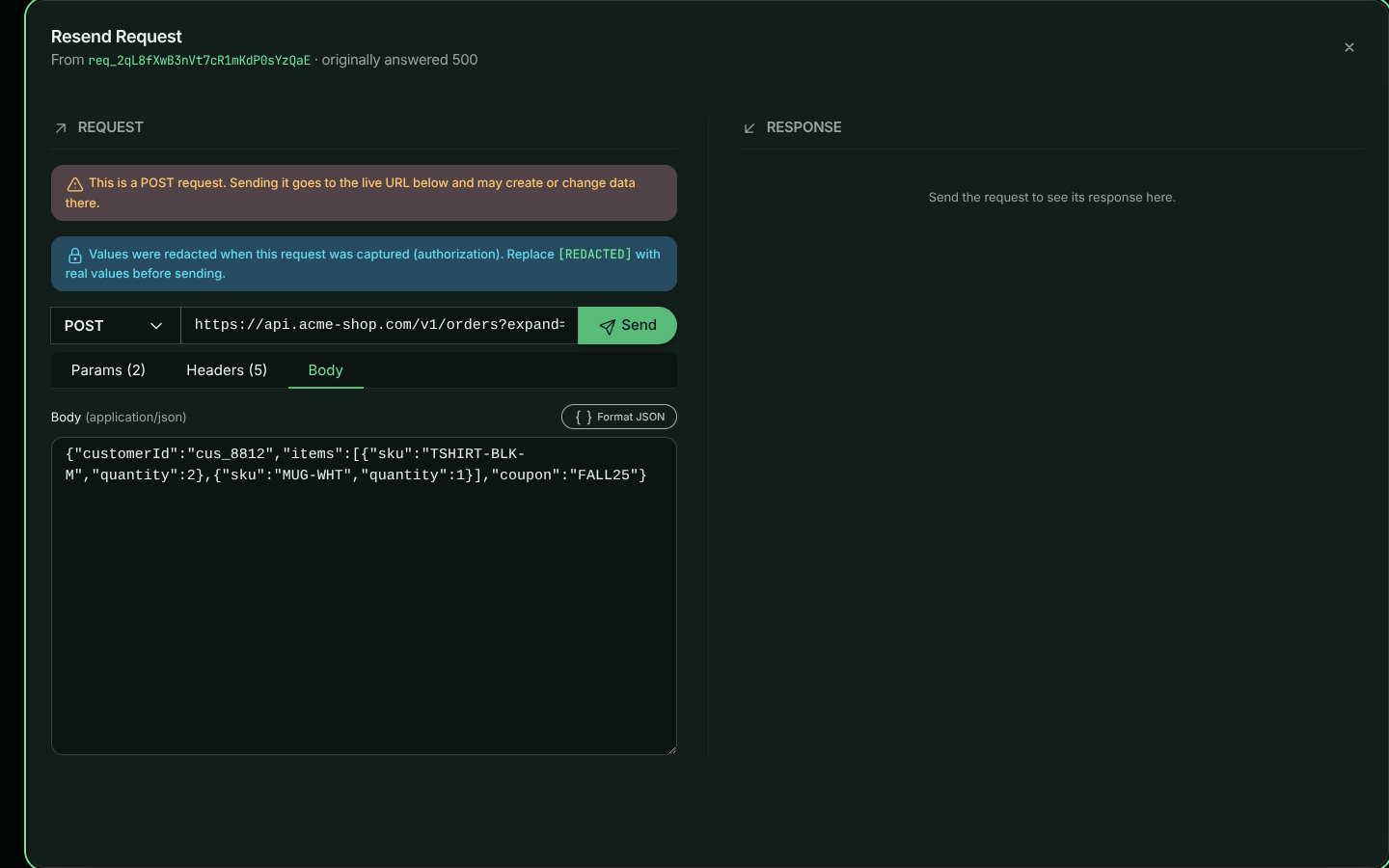
Send it
Select Send, or press Ctrl+Enter (⌘+Enter on a Mac) anywhere in the editor. The response appears on the right: status, time, size, body and headers.
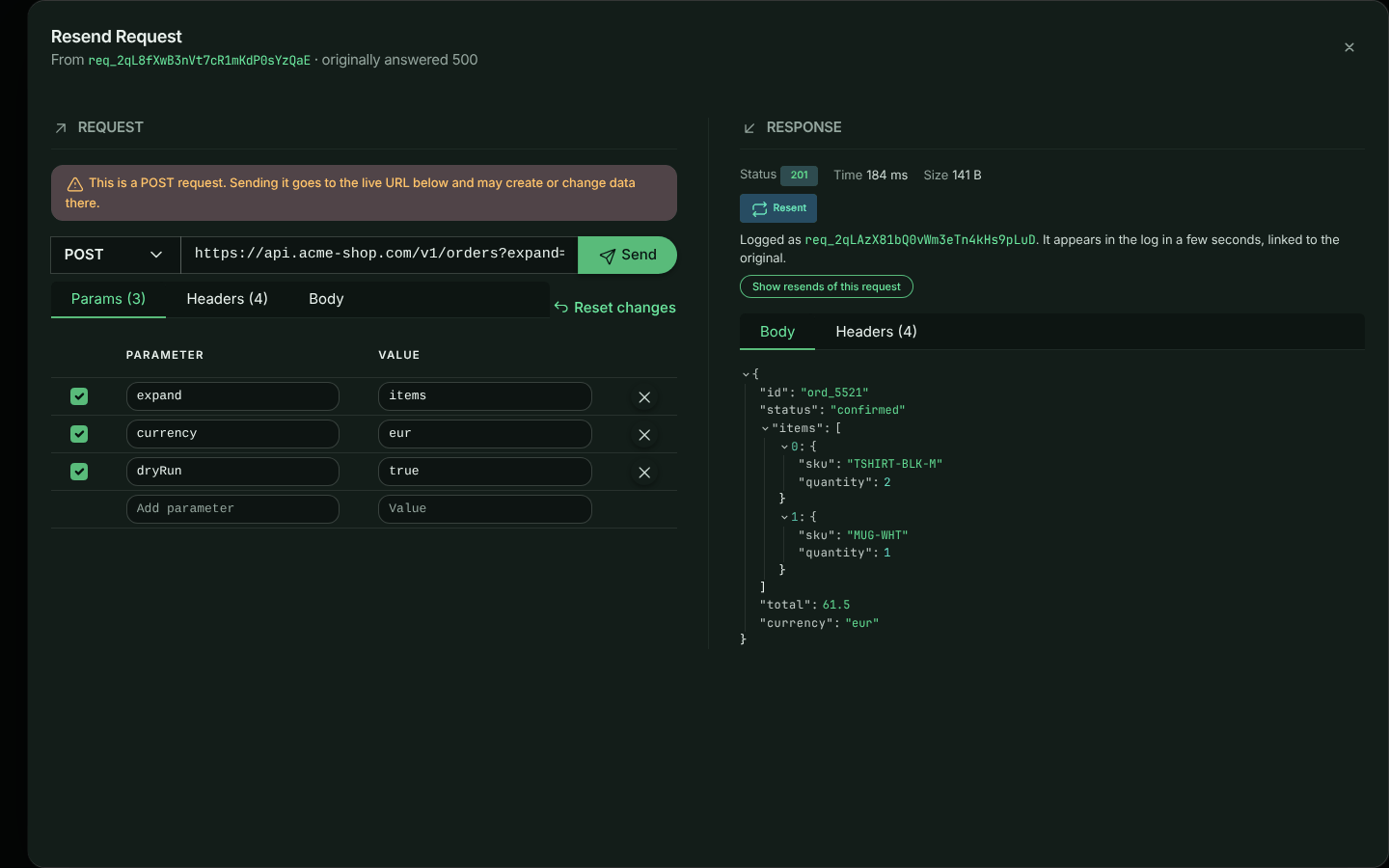
Warning: Resend Request sends a real request to the URL in the editor. A
POST,PUT,PATCHorDELETEto a production API can create, change or delete data there, exactly as the original did. The editor reminds you when the method is not a read-only one. To try a change safely, point the URL at a staging environment instead.
Editing the request
The method, URL and Send button are on one line. Below them, three tabs hold the rest of the request. Each tab shows how many items it contains, and Reset changes puts everything back as it was captured.
Params
The query string as a table. Edit a name or value, or type in the last row to add a parameter. Clear a parameter’s checkbox to leave it out of the request without deleting it. The URL updates as you type, and editing the URL directly updates the table. Parameters you have not touched are sent exactly as they were written.
Headers
Every captured header, in the same table form. Clear a header’s checkbox to leave it out of the request.
Host, Content-Length and connection headers are not shown, because they are set from the request as it is sent.
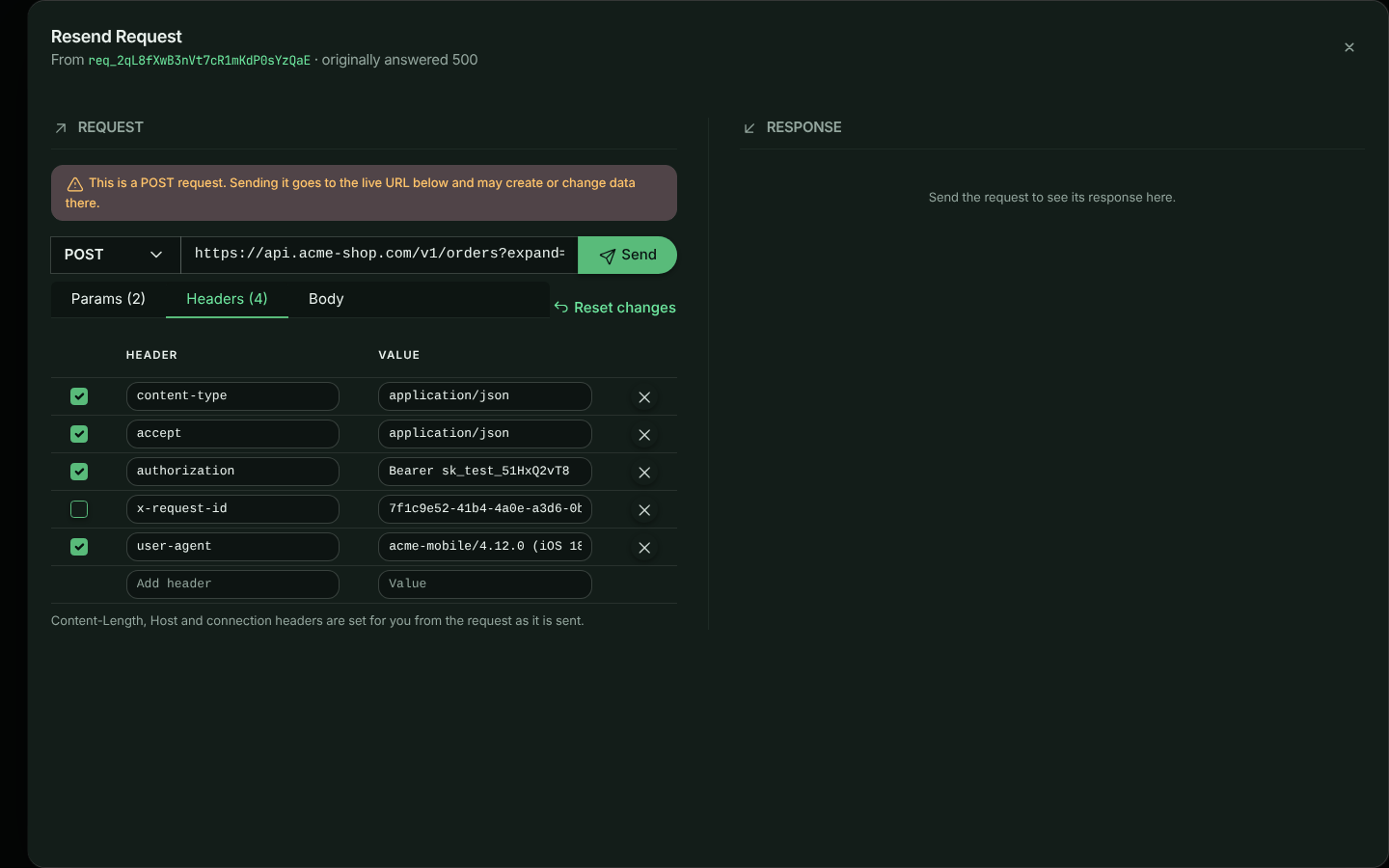
Note: Credentials are never stored:
Authorization, cookies and other credential headers, along with anything your redaction rules cover, were replaced with[REDACTED]when the request was captured. The editor tells you which parts are affected. Replace them with real values before you send, or the destination will reject the request.
Body
The body is shown exactly as it was captured, and an unedited body is sent byte for byte, so signed
payloads such as webhook deliveries still verify. How you edit it depends on its Content-Type:
| Content type | How the Body tab shows it |
|---|---|
| JSON and other text | The text itself. Format JSON pretty-prints a JSON body when you want to read or edit it. |
application/x-www-form-urlencoded |
A Form view: a table of fields, like Params, where a field can be left out by clearing its checkbox. Select Raw to edit the encoded text instead. |
multipart/form-data |
A list of the fields (name, value or file name, type and size) above the raw text, which you can edit. |
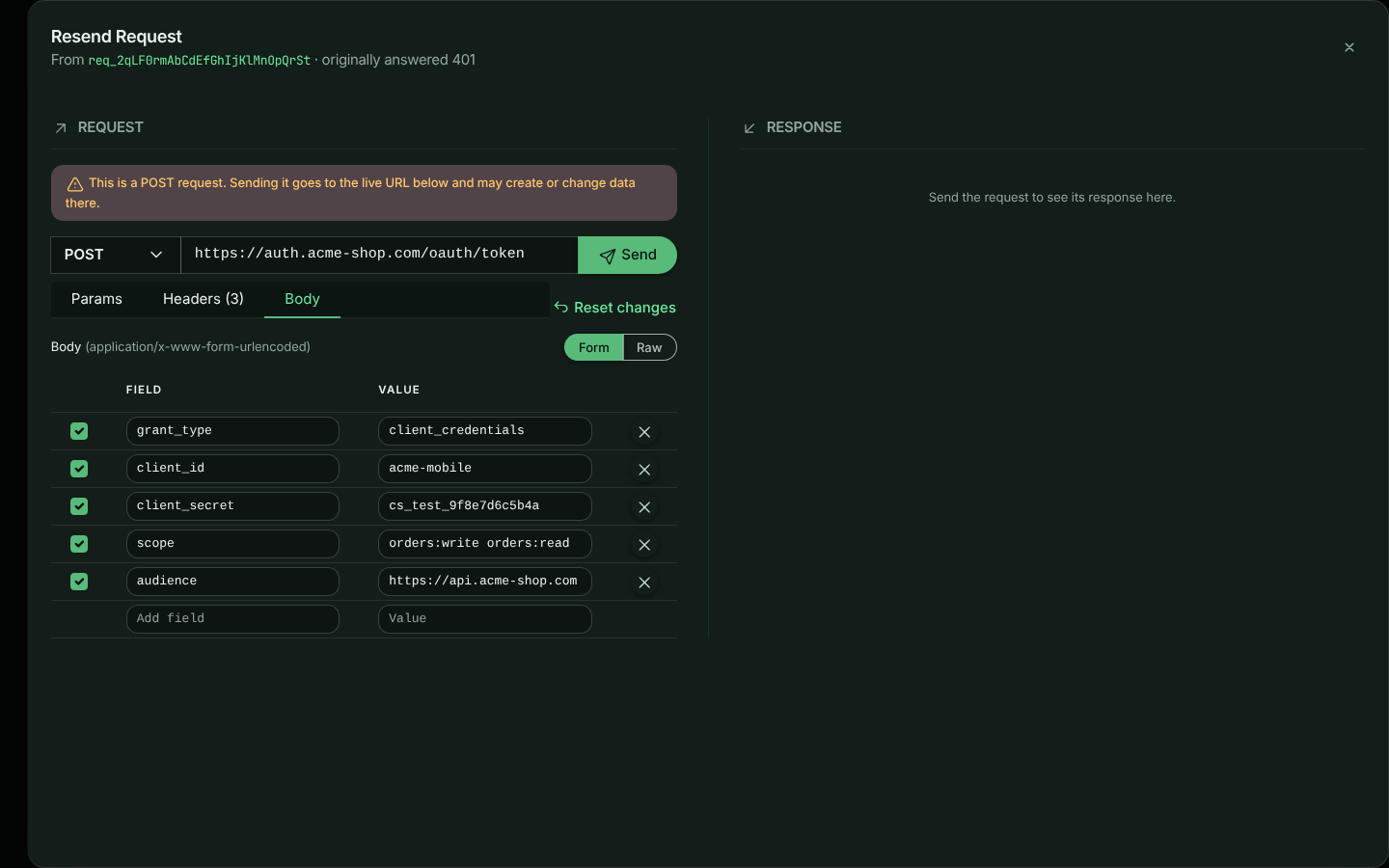
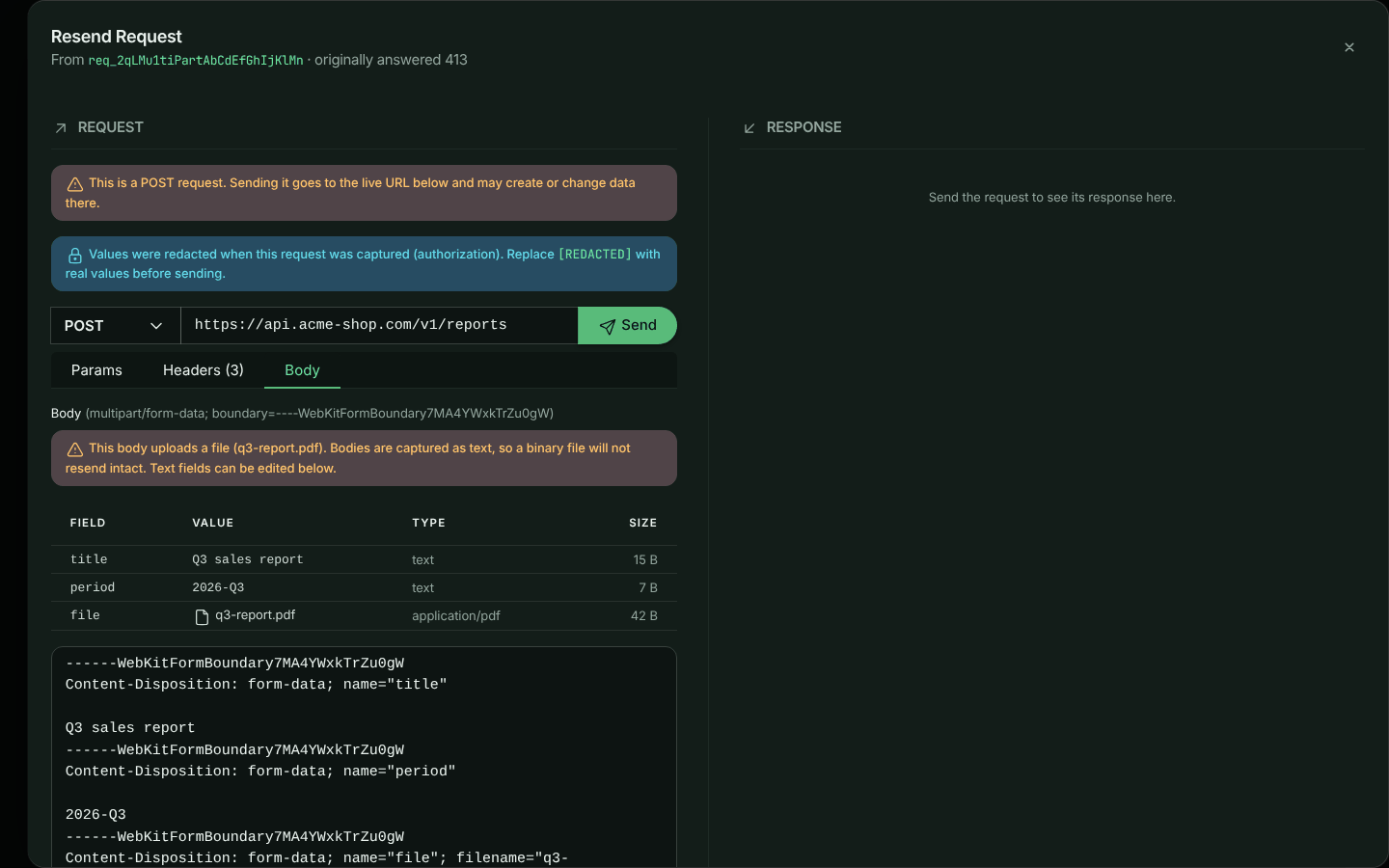
Warning: Request bodies are captured as text, so a file uploaded in a multipart body (an image or a PDF, say) is not resent intact. The editor warns you when a body contains files. Text fields resend correctly.
GET and HEAD requests are sent without a body.
Finding resent requests in the log
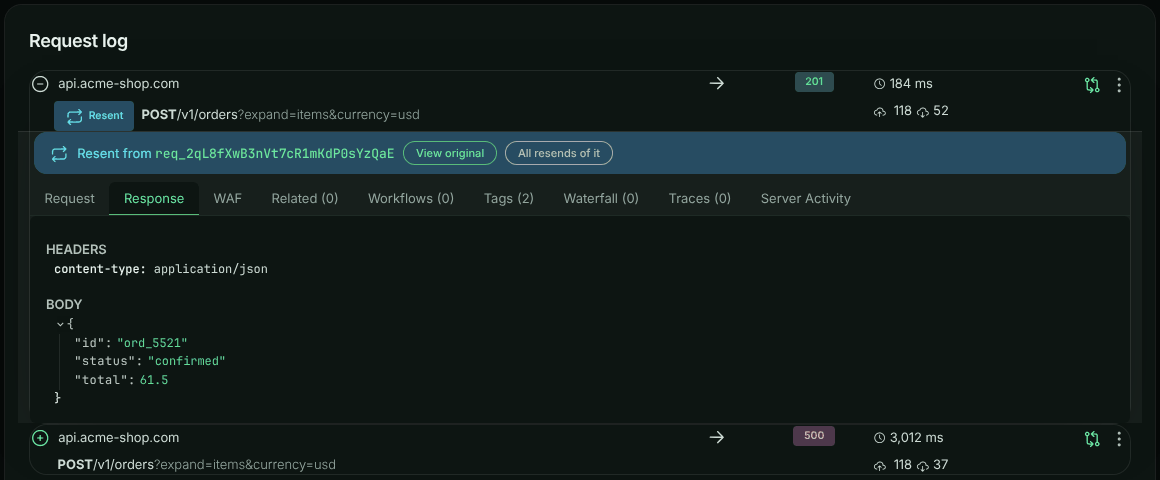
Each resend is logged as a new request in the same bucket and environment as the original, with two tags:
| Tag | Value |
|---|---|
resent |
true |
resentFrom |
The id of the request it was resent from |
In the request log, a resent request has a Resent badge. Expand it to see where it came from: View original opens the original request beside it, and All resends of it filters the log to every resend of that request.
To find them with a search, use the tags:
tag:resentFrom == "req_2qL8fXwB3nVt7cR1mKdP0sYzQaE"
tag:resent == "true"
A new request takes a few seconds to appear in the log after it is sent.
Limits and safeguards
Because ApiTraffic sends the request from its own servers, it applies these rules:
- Public destinations only. Requests cannot be sent to private, loopback, link-local or other
reserved addresses (for example
localhost,10.0.0.0/8or169.254.169.254). This is checked when the connection is made, so a public host name that resolves to a private address is refused too. To reproduce a request against your local machine, use Copy Request and run the command yourself. - HTTP ports only. Ports used by other services (SMTP, SSH and the rest of the list browsers block) are refused.
- No redirects. A redirect response is shown as it is; its
Locationis not followed. - 30 seconds. A response that has not finished arriving within 30 seconds of sending is abandoned.
- 2 MB of response. Larger responses are cut short, and the panel says so. Compressed responses are decompressed first.
- 30 resends a minute per account.
- Credentials go in headers. URLs with a user name or password in them (
https://user:pass@…) are refused.
Troubleshooting
| Message | What it means |
|---|---|
| … is a private, loopback or reserved address, which cannot be sent to. | The URL points at a private or internal address. See Limits and safeguards. |
| The host could not be reached. | The host name does not resolve, or it resolves to an address that cannot be sent to. Check the host name. |
| The destination refused the connection. | Nothing is accepting connections at that host and port. |
| No complete response within 30 seconds. | The destination was too slow to answer. |
| The destination’s TLS certificate … | The destination’s HTTPS certificate is expired, self-signed or for a different host name. |
| The value of header “…” has a line break or a character headers cannot carry | Header values can only contain Latin-1 characters, without line breaks. Remove characters such as emoji or … from the value. |
| This account can resend 30 requests a minute. | Wait for the time shown and try again. |
| Sent, but it could not be added to the log. | The request was sent and you have its response, but logging it failed. Nothing needs to be done, though this resend will not appear in the log. |