
Grant support access
Give ApiTraffic support temporary, recorded access to your account so they can troubleshoot, see what they can and can't do, and revoke it at any time.
When you need help with something only visible inside your account, the account owner can grant ApiTraffic support temporary access. Support can then see exactly what you see and fix things alongside you, for a window you choose, and every action they take is recorded.
ApiTraffic support can’t enter your account without this consent.
Before you begin
- Only the account owner can grant or revoke support access. Everyone else on the team can see whether access is active and when it ends.
- A support session can never grant, extend or revoke its own access.
Grant access
Open the Security page
Go to Account → Security and scroll to Support Access.
Choose how long
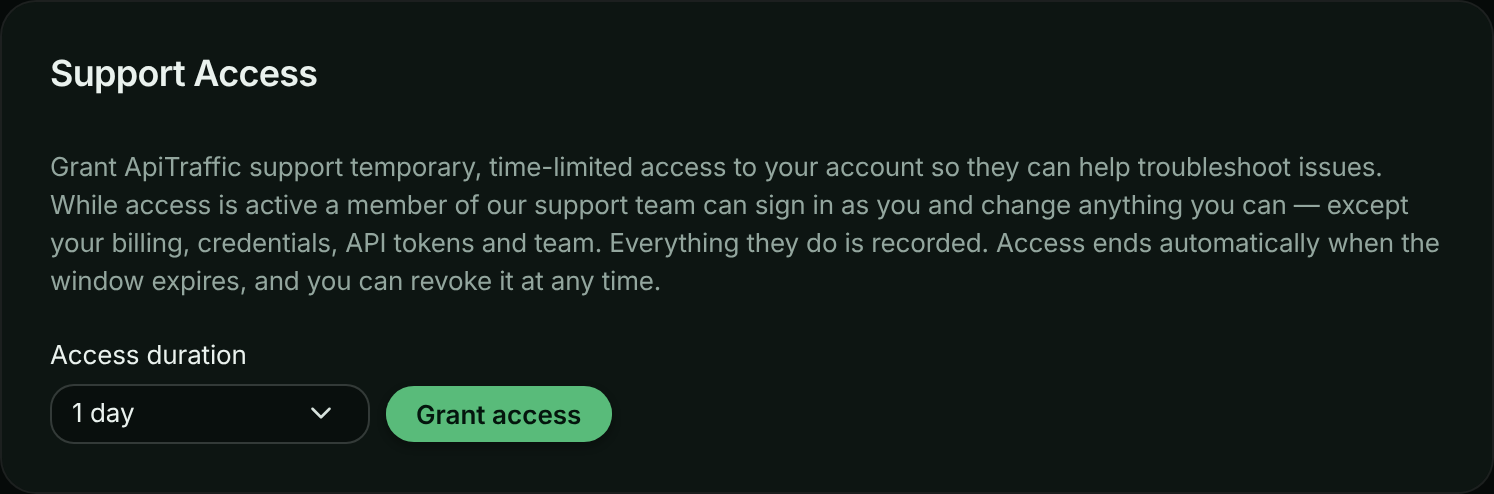
Choose an Access duration: 6 hours, 1 day, 3 days or 7 days. 1 day is selected to start with.
Choose how long support can access the account.
Grant it
Select Grant access. The card shows Support access is active. and when it expires.
Tell support
Let the support team know in your conversation with them that access is granted.
While access is active, everyone on the team sees a banner on every page: ApiTraffic support can access this account., with when it ends and Manage access, which opens the Security page.
The banner shown while support access is active.

What support can and can’t do
While the window is open, a member of the support team can sign in to the account with the owner’s view and change what the owner can, with these exceptions. Support can’t:
- start a subscription, redeem a plan offer, or open the billing portal,
- create, change or delete API tokens or MCP tokens, or connect apps,
- invite, remove or change the role of anyone, or transfer ownership,
- change your sign-in credentials, MFA or the account’s MFA requirement,
- change the account’s database query text setting or how it keeps client IP addresses,
- purge data or close the account,
- grant, extend or revoke support access.
Everything else is available, so support can reproduce what you see and fix settings such as redactions, exclusions or firewall rules.
How support sessions are recorded
- Opening a session is recorded in the account history as A support session was opened by ….
- Every change made in the session appears in the history with the support engineer’s name, (ApiTraffic support) and a support badge.
- The same events are available from the activity API, with
actor.impersonatedBynaming the engineer. - Granting and revoking access are recorded under Support.
Access is checked on every request. When the window ends or you revoke it, support is out immediately, even mid-session.
Revoke access
On Account → Security, in Support Access, select Revoke now. You see Staff access revoked. ApiTraffic support can no longer access your account. Access also ends by itself when the window expires.
Troubleshooting
There is no Grant access button
Only the account owner can grant access. The card says Only the account owner can grant or revoke support access. Ask the owner.
Support needs longer
Grant access again when the window ends, with a new duration. The longest window is 7 days.
Related
-
Sign-in and security: The rest of the Security page.
-
Account history: Review what support did.
-
Team and roles: Owner-only actions.
-
Troubleshooting: Fix common problems yourself.