
API latency percentiles: how to read p50, p95 and p99 without fooling yourself
What p50, p95 and p99 mean, four ways they mislead, and a Node middleware that records them per route.
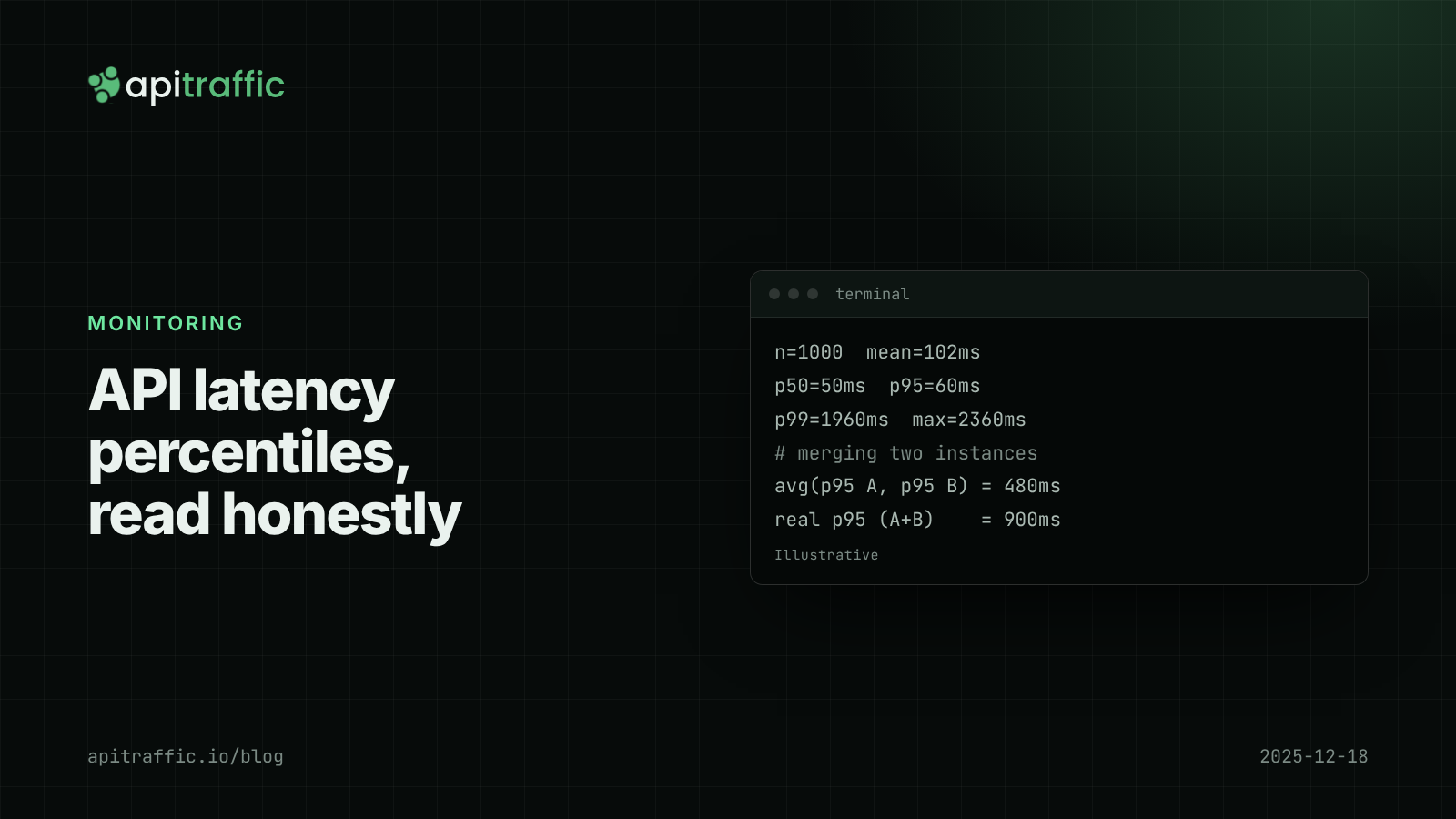
Your dashboard says average latency is 102 ms, and a customer says the app “hangs for two seconds” several times a day. Both are true. API latency percentiles explain the gap: the p50 tells you what a typical request feels like, the p95 and p99 tell you what your unluckiest users feel, and the average hides both.
The direct answer: p95 is the latency that 95% of requests beat; p99 is the latency that 99% beat. Track them per route, never average them, and check the request count before trusting a p99. Below are the four common ways percentiles mislead, and a Node middleware that records them properly.
What do p50, p95 and p99 latency mean?
Sort every request’s duration from fastest to slowest. The p50 (median) is the value halfway down the list: half of requests were faster. The p95 is the value 95% of the way down: 1 in 20 requests was slower. The p99: 1 in 100 was slower.
A percentile says nothing about how much slower the slow ones were. The p99 is a threshold, not the worst case.
Here is the simplest correct implementation, using the nearest-rank method:
function percentile(sorted, p) {
  if (sorted.length === 0) return NaN;
  const rank = Math.ceil((p / 100) * sorted.length);
  return sorted[Math.max(0, rank - 1)];
}

function summarize(samples) {
  const s = [...samples].sort((a, b) => a - b);
  const mean = s.reduce((a, b) => a + b, 0) / s.length;
  return {
    n: s.length,
    mean: Math.round(mean),
    p50: percentile(s, 50),
    p95: percentile(s, 95),
    p99: percentile(s, 99),
    max: s.at(-1),
  };
}
Average vs percentile latency: why the mean is not enough
Take 1,000 requests where 970 take 40 to 60 ms and 30 hit a slow path taking 1.2 to 2.4 seconds. Run them through summarize():
{ n: 1000, mean: 102, p50: 50, p95: 60, p99: 1960, max: 2360 }
The mean of 102 ms describes no request that actually happened. The percentiles tell the real story: the typical request is fine (p50 50 ms), 95% are fine (p95 60 ms), and somewhere between the 95th and 99th percentile there is a cliff. That cliff is the thing to investigate.
Why tail latency matters more than it looks
“Only 1% of requests” sounds small until you count requests per user. A single page load or mobile screen often triggers several API calls, and a user session triggers dozens. If each call independently has a 1% chance of being slow, a screen that makes 10 calls hits at least one slow call about 10% of the time.
The same arithmetic applies inside your service. Dean and Barroso’s “The Tail at Scale” (Communications of the ACM, 2013) works through the fan-out case: if a request waits on 100 backend calls and each has a 1-in-100 chance of being slow, about 63% of requests will be slow (1 - 0.99^100). A Node API calling a database, a cache and two third-party APIs per request is a small version of this.
Mistake 1: averaging API latency percentiles
You cannot average p95s across instances, endpoints or time windows and get a p95. Two instances behind a load balancer:
- Instance A: 1,000 requests, 900 at 50 ms and 100 at 900 ms. p95 = 900 ms.
- Instance B: 100 requests at 60 ms. p95 = 60 ms.
The average of the two p95s is 480 ms. The real p95 across all 1,100 requests is 900 ms. The same error happens when a dashboard shows “p95 for the day” by averaging 24 hourly p95s, or “p95 for the API” by averaging endpoint p95s.
To combine, you need the underlying distribution: raw durations or mergeable histograms (fixed buckets you can add together, as Prometheus and HDR histograms allow).
Mistake 2: percentiles from too few requests
A p99 over 50 requests is the single slowest request, give or take. A p99 over 200 is the second slowest. One garbage-collection pause or cold connection moves it. Before reading a percentile, check the count behind it. Rough rules:
- p50 is meaningful with a few dozen samples.
- p95 needs a few hundred to be stable.
- p99 needs a few thousand.
Most small-team APIs have many low-traffic endpoints. For those, widen the window to an hour or a day rather than staring at a noisy p99 line.
Mistake 3: one number for the whole API
An API-wide p95 mixes GET /healthz (1 ms), POST /v1/login (deliberately slow password hashing) and GET /v1/reports/export (seconds). Changes in traffic mix move the number without anything getting faster or slower. Break latency out by:
- Route pattern, such as
/v1/orders/:id, not the raw URL with IDs in it. - Status class. A burst of fast 401s or 404s from a scanner pulls p50 down and makes things look better. Errors that time out push the tail up. Look at 2xx latency separately.
Mistake 4: measuring in the wrong place
Where the timer starts and stops decides what the number includes.
- Inside a handler misses time spent in middleware, body parsing and waiting on a busy event loop before the handler ran.
- In a top-level middleware (the example below) covers most of your process’s work, but not time spent queued in the load balancer or kernel before Node accepted the connection.
- At the client or edge includes network time and queueing. It is closest to what users feel.
Load tests have their own trap, which Gil Tene calls coordinated omission: a client that waits for each response sends fewer requests while the server is slow, so the slow period is underrepresented. Fixed-rate tools such as wrk2 give more honest tails.
How to calculate p95 and p99 in Node.js without storing every request
Node ships an HDR histogram in perf_hooks. It records values into buckets with fixed relative precision, so memory stays small and you can ask for any percentile.
import express from 'express';
import { createHistogram } from 'node:perf_hooks';

const histograms = new Map(); // "GET /v1/orders/:id 2xx" -> histogram

function latencyHistograms(req, res, next) {
  const start = process.hrtime.bigint();
  res.on('finish', () => {
    const micros = Number((process.hrtime.bigint() - start) / 1000n);
    const route = req.route ? req.baseUrl + req.route.path : 'unmatched';
    const key = `${req.method} ${route} ${Math.floor(res.statusCode / 100)}xx`;
    let h = histograms.get(key);
    if (!h) histograms.set(key, (h = createHistogram()));
    h.record(Math.max(1, micros));
  });
  next();
}

function report() {
  for (const [key, h] of histograms) {
    const ms = (p) => (h.percentile(p) / 1000).toFixed(1);
    console.log(
      `${key.padEnd(32)} n=${String(h.count).padStart(6)} ` +
        `p50=${ms(50)}ms p95=${ms(95)}ms p99=${ms(99)}ms max=${(h.max / 1000).toFixed(1)}ms`
    );
    h.reset();
  }
}
setInterval(report, 60_000).unref();

const app = express();
app.use(latencyHistograms);
A run with 200 requests where 2% hit a 300 ms delay prints something like:
GET /v1/orders/:id 2xx           n=   200 p50=5.7ms p95=6.3ms p99=301.3ms max=301.8ms
GET unmatched 4xx                n=     1 p50=1.3ms p95=1.3ms p99=1.3ms max=1.3ms
req.route is only set after routing, which is why the key is computed in the finish handler. The count sits next to every percentile so you can see when it is too small to trust. For a solo developer on one instance, logging these lines (for example through Pino logging) is enough. A team running several instances should ship the histograms to a metrics system so they can be merged. To dig into one slow request, a request ID that follows it through the code is what connects the percentile to the cause.
Checklist: reading a latency chart in 30 seconds
- What is the sample count behind this line?
- Is this one route, or a blend? Which statuses are included?
- Where was the timer: handler, middleware, edge or client?
- Is this a real percentile over raw data, or a rollup of percentiles?
- Did p50 and p99 move together (everything got slower) or separately (a new slow path for some requests)?
FAQ
What is a good p99 latency for an API?
There is no universal number; it depends on what the endpoint does. A useful start is to compare p99 with p50: a p99 within a few times the p50 is healthy, while a p99 ten or more times the p50 points at a specific slow path worth finding.
Is p95 or p99 more important?
Watch both. p95 is stable enough to track trends on modest traffic. p99 catches problems that affect real users several times a day but needs thousands of requests per window to be trustworthy.
Can I average p95 values across servers?
No. The average of percentiles is not a percentile, and it usually understates the tail. Merge the underlying histograms or raw durations, then compute the percentile once.
Doing this with ApiTraffic
If you would rather not build and run histograms yourself, ApiTraffic’s endpoint details show requests, p50, p95 and p99 per endpoint over time, grouped by route pattern (for example /api/v1/users/{id}), so the request count and the per-route split are already there.
When the p99 jumps, the Time Breakdown shows where an endpoint’s time goes and the request waterfall shows each query and outbound call on one slow request’s timeline. Spans are recorded through OpenTelemetry, loaded before your database drivers:
node -r @apitraffic/node/register ./server.js
Start free and see the p95 of every endpoint you run: apitraffic.io
Sources: Dean and Barroso, “The Tail at Scale”, CACM, Feb 2013; wrk2 README on coordinated omission; Node.js perf_hooks: createHistogram(); Prometheus: Histograms and summaries.
Keep reading
SLOs and an error budget for a small API team, without the enterprise ceremony
Is a 0.4% error rate bad? Without a target, nobody knows. Set one availability and one latency SLO for your Node API, compute the error budget from your request logs, and agree what happens when it runs out.
Node.js event loop lag: the metric that explains "random" slowness
Every endpoint slow at once, database fine, CPU looks idle: that is event loop lag. Here is how to measure it in Node with built-in tools and find the code that blocks.

Deploy markers: tying a latency regression to the release that caused it
p95 doubled, and there were three deploys and a flag flip since yesterday. Deploy markers and a version field on every log line turn "which release did this" into a five-minute query. Here is how to set both up for a Node API.