
Choose an integration
Pick the right ApiTraffic SDK for your Node.js app: the unified @apitraffic/node package, a per-framework package, the Strapi plugin, or the proxy.
ApiTraffic captures your API traffic from inside your application, with an SDK you add to your server. One package, @apitraffic/node, covers Express, Fastify, Koa and hapi. NestJS, AdonisJS, LoopBack, Sails and Meteor each have a package built on it, and Strapi has its own plugin. What @apitraffic/node can do - the firewall, performance monitoring, redaction, exclusions and server health - is switched on from your ApiTraffic account rather than in code.
Which package to install
| You want | Install | Page |
|---|---|---|
| Express, Fastify, Koa or hapi, with every feature available | @apitraffic/node (recommended) |
Node SDK |
| The smallest install for one framework, request capture only | @apitraffic/express, @apitraffic/fastify, @apitraffic/koa or @apitraffic/hapi |
The framework’s page |
| A NestJS 10, 11 or 12 application | @apitraffic/nestjs (@apitraffic/node as a global Nest module) |
NestJS |
| A Strapi 5 application | @apitraffic/strapi |
Strapi |
| A Meteor 3 application | @apitraffic/meteor (@apitraffic/node mounted on Meteor’s WebApp) |
Meteor |
| A LoopBack 4 application | @apitraffic/loopback (@apitraffic/node as a LoopBack component) |
LoopBack |
| An AdonisJS 6 or 7 application | @apitraffic/adonisjs (@apitraffic/node as a provider and middleware, set up with node ace add) |
AdonisJS |
| A Sails 1 application | @apitraffic/sails (@apitraffic/node as a Sails hook) |
Sails |
| Another language or framework | No SDK: route calls through the ApiTraffic proxy | Capture without an SDK |
Use @apitraffic/node unless you have a reason not to. It bundles the framework adapter, the web application firewall and the APM bridge, and mounts them in the right order with one call. It contains no capture logic of its own: each feature is the same package you could install by hand, so behavior is identical either way, and you can switch between the two without changing what is captured.
The per-framework packages are still published and supported. Choose one when you want the smallest dependency footprint and are happy to add @apitraffic/waf and @apitraffic/apm yourself if you later need them.
npm install @apitraffic/node
const apitraffic = require('@apitraffic/node');

app.use(apitraffic.express());   // or apitraffic.fastify(), apitraffic.koa(), apitraffic.hapi()
The setup page (Getting Started in the left navigation) walks you through the same choice and fills in your bucket ID and token. See the Quickstart.
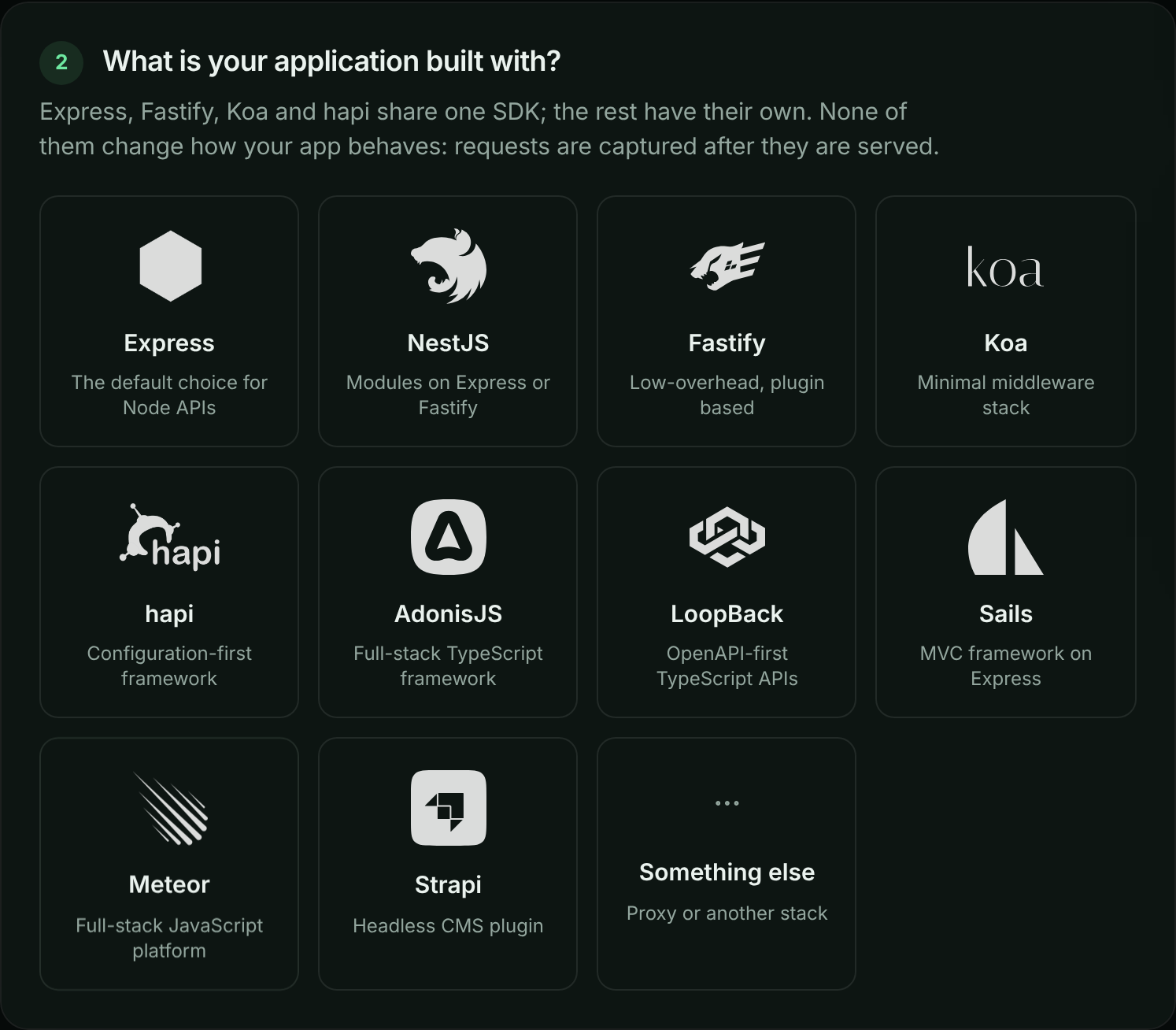
The setup page asks which framework your application uses.
Support matrix
| Integration | Package | Framework versions | Firewall | APM |
|---|---|---|---|---|
| Express | @apitraffic/node or @apitraffic/express |
Express 4.17 or later, and Express 5 | Yes | Yes |
| Fastify | @apitraffic/node or @apitraffic/fastify |
Fastify 4 and 5 | Yes | Yes |
| Koa | @apitraffic/node or @apitraffic/koa |
Koa 2.13 or later, and Koa 3 | Yes | Yes |
| hapi | @apitraffic/node or @apitraffic/hapi |
@hapi/hapi 21 |
Yes | Yes |
| NestJS | @apitraffic/nestjs |
NestJS 10, 11 and 12, on the Express or Fastify platform | Yes | Yes |
| Meteor | @apitraffic/meteor |
Meteor 3 (3.0 on Express 4, 3.1 and later on Express 5) | Yes | Yes |
| LoopBack | @apitraffic/loopback |
@loopback/rest 13, 14 and 15 |
Yes | Yes |
| AdonisJS | @apitraffic/adonisjs |
AdonisJS 6 (Node 20.6+) and 7 (Node 24+) | Yes | Yes |
| Sails | @apitraffic/sails |
Sails 1 | Yes | Yes |
| Strapi | @apitraffic/strapi |
Strapi 5 | No | No |
The firewall and APM are included in @apitraffic/node. With a per-framework package you add them yourself; see Set up the firewall and Set up APM.
Runtime and language support
- Node.js 20 or later. Every 2.x package requires Node 20. The 1.x packages still run on Node 18.
- Your framework stays your own dependency. The SDK lists each framework as an optional peer dependency and never installs one for you.
- CommonJS and ES modules. The packages are published as CommonJS. From an ES module, both
import apitraffic from '@apitraffic/node'and named imports such asimport { express, tag } from '@apitraffic/node'work. - TypeScript. Type declarations ship with every package. Each adapter exports an
ApiTrafficOptionstype, so a misspelled option or a value of the wrong type is a compile error. - Any package manager. Install with npm, pnpm, yarn or bun.
How capture works
The SDK runs inside your process. It never changes how your application handles a request: it observes, and it sends what it saw afterwards.
flowchart LR
    client([Client]) --> mw["ApiTraffic middleware<br/>opens a request context"]
    mw --> app["Your routes"]
    app -- "outbound http, https, fetch" --> deps([APIs you call])
    app --> resp["Response sent"]
    resp --> cap["Request captured<br/>and redacted in-process"]
    cap -. "batched, in the background" .-> at[(ApiTraffic)]
    at -. "rules and settings,<br/>pushed in real time" .-> mw
- The middleware opens a context for each request. Tags, traces, spans and outbound calls made while handling the request attach to it, even across
await. - The request is captured when the response is committed - when its first bytes are handed to the network - after they are written, so capture never delays the response. Status and timing are recorded when the response finishes. A client that disconnects first is reported with status
499. - Outbound calls are captured too. Calls your code makes with
http,httpsor globalfetch(and libraries built on them, such as axios) are recorded and linked to the request that made them. See Outbound requests. - Redaction happens before anything leaves your server. Credential headers are always masked, credential-shaped body keys and query parameters are masked by default, and your account’s redaction rules are applied in-process. Nothing is sent until those rules have loaded.
- Delivery is asynchronous and bounded. Payloads go to ApiTraffic in the background, in batches when available. If ApiTraffic is slow or down, your requests are served normally and the SDK sheds data rather than growing without limit. See If ApiTraffic is unreachable.
- Settings come from your account. On startup the SDK loads your redaction rules, exclusions, firewall policy, APM capture switches and host telemetry settings, then keeps a realtime connection open so changes reach running servers without a restart or a deploy.
The SDK is built so that it cannot be the reason your application fails: a missing token disables telemetry with a console message and your app still starts, and the helpers you call from your code never throw.
What you need
- An ingest token and a bucket ID. The setup page creates both; creating a token requires the owner or admin role. See API tokens.
- Outbound HTTPS from your servers to
ingest.apitraffic.ioandapi.apitraffic.io. Live configuration updates also use an outbound realtime connection; if it is blocked, everything except live updates keeps working.
Capture without an SDK
For a stack the SDK does not cover, choose Something else in step 2 of the setup page, then Generate a proxy URL. Paste the URL of an API call into the URL Helper, and it gives you an API Traffic Gateway URL for the current bucket and environment: the same URL with only the hostname changed. Calls made to that URL pass through ApiTraffic and are recorded in the bucket.
The proxy records the calls routed through it. It does not see outbound calls your application makes on its own, and it has no access to in-process features such as APM spans, tags, traces or the firewall.
Related
-
Node SDK: Install @apitraffic/node and register it for your framework.
-
SDK configuration: Every option and environment variable, and how settings combine.
-
Quickstart: Create a token, install the SDK and see your first request.
-
Servers: See which servers are connected and how healthy they are.