
Explore the sample data
A read-only demo bucket of live traffic from a fictional store: what is in it, how to turn it on or off, and a guided tour of its incidents.
Every account can open a read-only demo bucket, Sample: Acme Store API, filled with live traffic from a fictional online store. Use it to see what every page in ApiTraffic looks like with real data before you connect your own app, or to show a teammate what the product does.
The traffic is generated continuously by a demo application instrumented with the real ApiTraffic SDK, so the last 24 hours always have something to look at and every feature is populated: requests and bodies, outbound calls, APM spans, firewall verdicts, drift findings, deploy events and server health. Every person, IP address and card number in it is fictional.
Open the sample bucket
You can open it in three ways:
- On the setup page of one of your own buckets, choose Explore sample data.
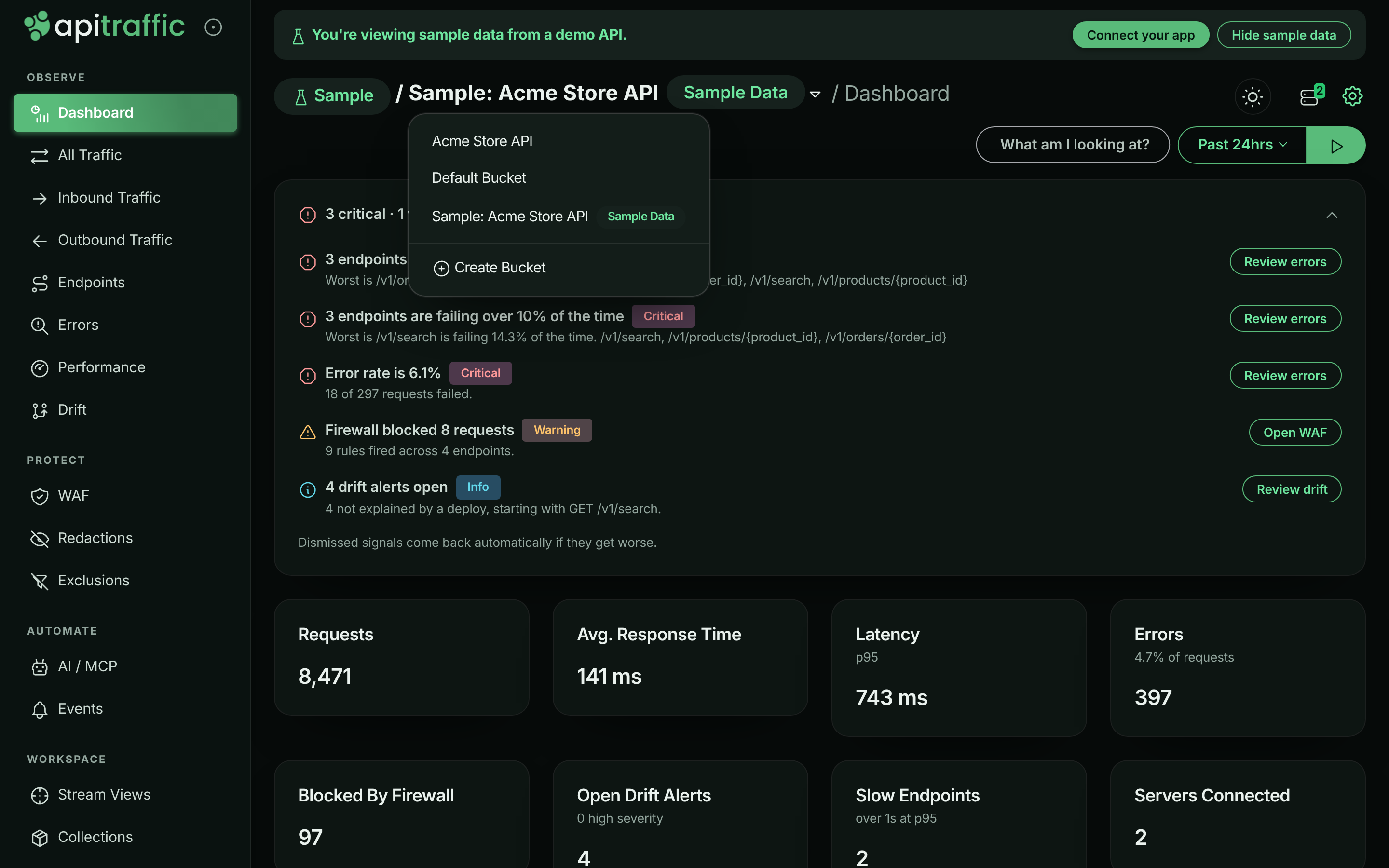
- Open the bucket menu at the top of the app and choose Sample: Acme Store API. It is listed after your own buckets, with a Sample Data pill next to its name.
- In account settings, open Sample data and choose View sample data.
While you are on the sample bucket, a banner reads You’re viewing sample data from a demo API. Choose Connect your app in the banner to go back to the setup page of your own bucket. The environment is pinned to Production (Sample).
The sample bucket’s dashboard, with the bucket menu open.
What is in the sample data
The Acme Store API is a fictional e-commerce API with 15 routes, two server instances and five downstream providers. It receives about 10,000 requests a day from a fixed pool of 200 fake customers, following a daily curve that peaks at 15:00 UTC.
| Area | What you will find |
|---|---|
| Traffic | Product browsing, search, cart, checkout, payments, orders, sign-in, an inbound shipping webhook. A realistic mix of 400, 401, 403, 404, 409, 422 and 429 alongside 500, 502, 503 and 504, each with a JSON error body. |
| Endpoints | Routes learned from the traffic, such as GET /v1/products/{product_id}, GET /v1/orders/{order_id} and POST /v1/checkout. |
| Outbound calls | Calls to payments.acme-pay.example, api.acme-freight.example, api.acme-tax.example, api.acme-mail.example and inventory.acme-internal.example. |
| Performance (APM) | Database, cache, queue and outbound spans with code locations such as src/repositories/orderRepository.js. Includes an N+1 query and a flaky payment provider. |
| Firewall | About 3% of traffic is attacks: SQL injection, cross-site scripting, path traversal, scanner user agents and a credential-stuffing burst. The policy blocks by ruleset score, a deny list and a sign-in rate limit. |
| Drift | On alternate days, a deploy changes the shape of GET /v1/orders/{order_id} responses. |
| Events | A deployment event named deploy v{yyyy}.{m}.{d} every day, an incident that opens and resolves, a deployment event named rollback v{yyyy}.{m}.{d} after drift days, and a weekly config_change. |
| Servers | CPU, memory and event-loop health for acme-api-1 and acme-api-2, which spike during the daily incident. |
| Clients | Each customer has one documentation IP address (such as 192.0.2.10), and the attacks come from a few more. No geo data locates these addresses, so each is given a made-up country for the demo (always the same one), and reports by Country show where the traffic comes from. |
| Tags | Every signed-in request is tagged with customerId (one of 24 fictional business customers, named in the customer catalogue), plan (starter, growth or enterprise) and client (web, ios or android). |
| Saved work | Four stream views (Payment failures, Slow checkouts, Blocked by firewall, Cart validation errors) and two collections (Payments incident: failed captures, Checkout issues to review), refilled daily. |
| Data controls | Redaction rules for card numbers and the Authorization header, and an exclusion that drops GET /health. |
The daily schedule
The story repeats on the same clock for everyone, in UTC:
| Time (UTC) | What happens |
|---|---|
| 03:20 | A 40-attempt credential-stuffing burst on POST /v1/auth/login runs into the firewall’s rate limit. |
| Mondays 10:15 | A config_change event (search ranking weights). |
| 13:55 | The daily deploy v{yyyy}.{m}.{d} deployment event. On drift days, the order response shape changes from here. |
| 14:00–14:40 | The payments incident: POST /v1/payments/{payment_id}/capture slows to about 4 seconds at p95 and about 20% of calls fail, while clients retry. An incident event opens at 14:02 and resolves at 14:42. |
| 14:50 | The collections are refilled with the newest matching requests. |
| 00:05, after a drift day | A rollback v{yyyy}.{m}.{d} deployment event, and the response shape reverts. |
A suggested tour
Follow the payments incident
Open the Payment failures stream view, or Endpoints and then POST /v1/payments/{payment_id}/capture. Set the time range to cover 14:00–14:40 UTC to see 502 responses climb and latency spike, with the deploy and incident markers on the chart. Open one failing request to see the outbound call to payments.acme-pay.example that failed.
Find the N+1 query
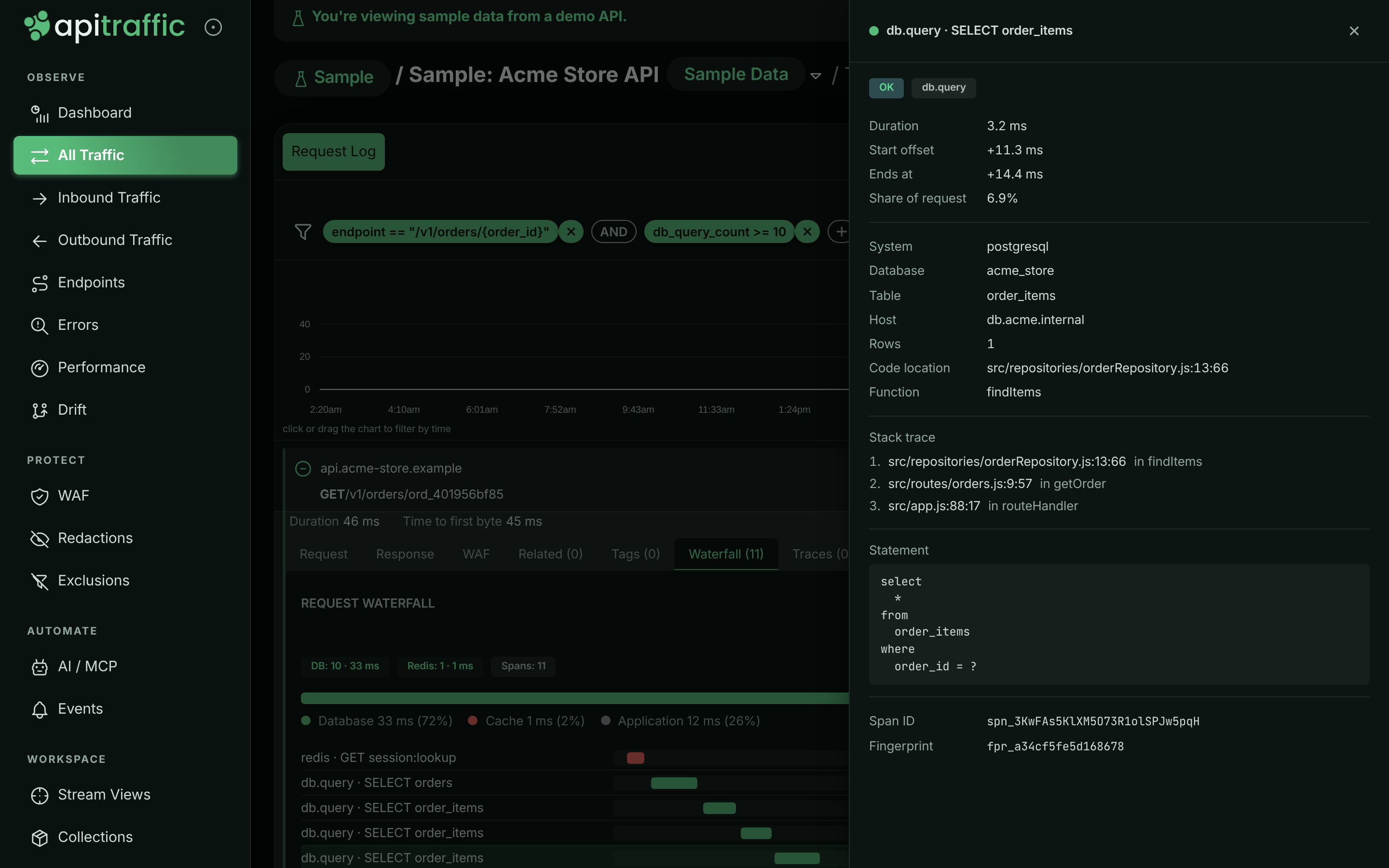
Open Performance and select GET /v1/orders/{order_id}, or open any request to it. The waterfall shows one query for the order followed by one order_items query per item, each pointing at src/repositories/orderRepository.js.
The N+1 query on the order endpoint’s waterfall.
Look at a blocked attack
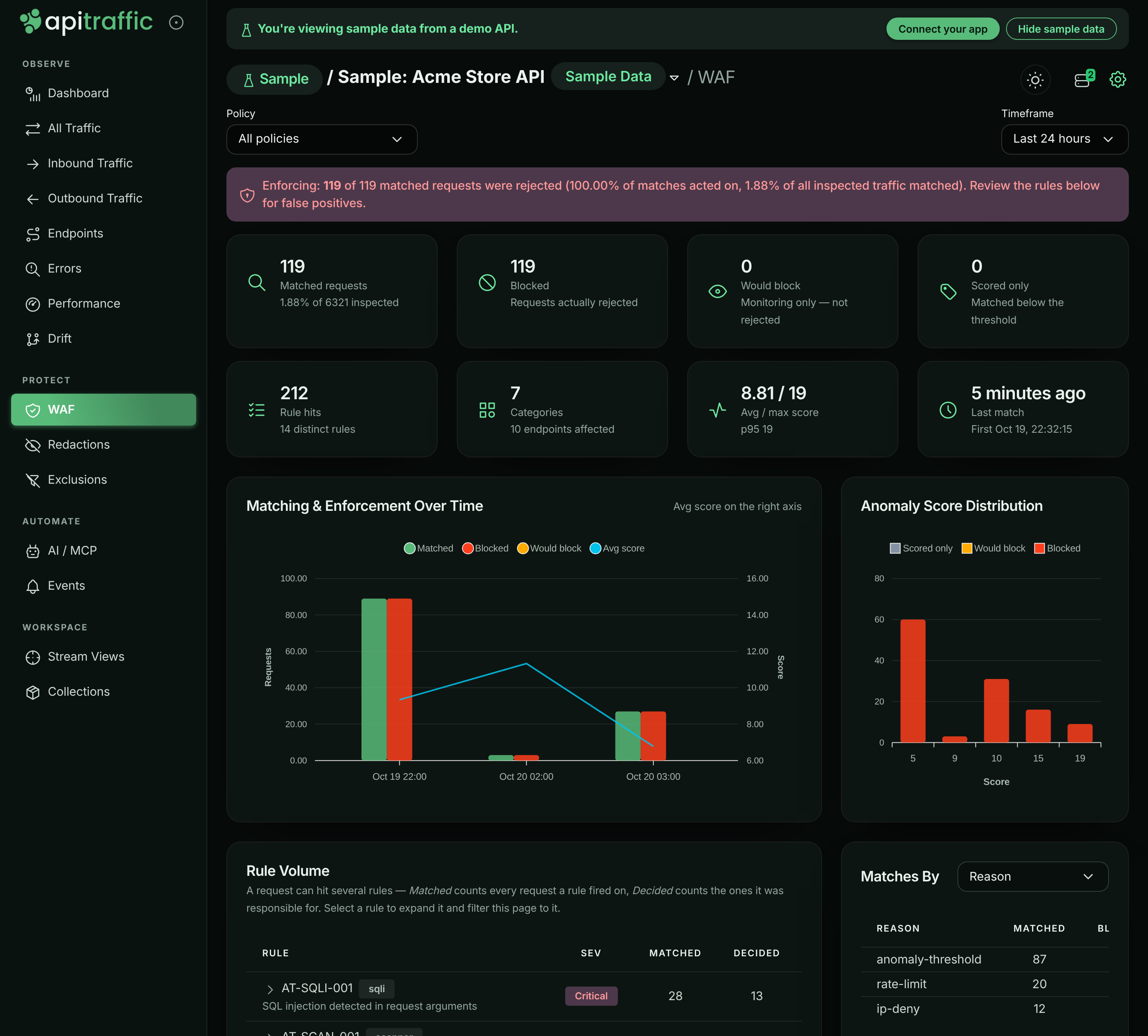
Open the Blocked by firewall stream view, or WAF. Open a blocked request to see which rule matched, its score and the response the firewall sent. The sign-in rate limit and the deny list show up as separate reasons.
Firewall verdicts in the sample bucket.
Inspect API drift
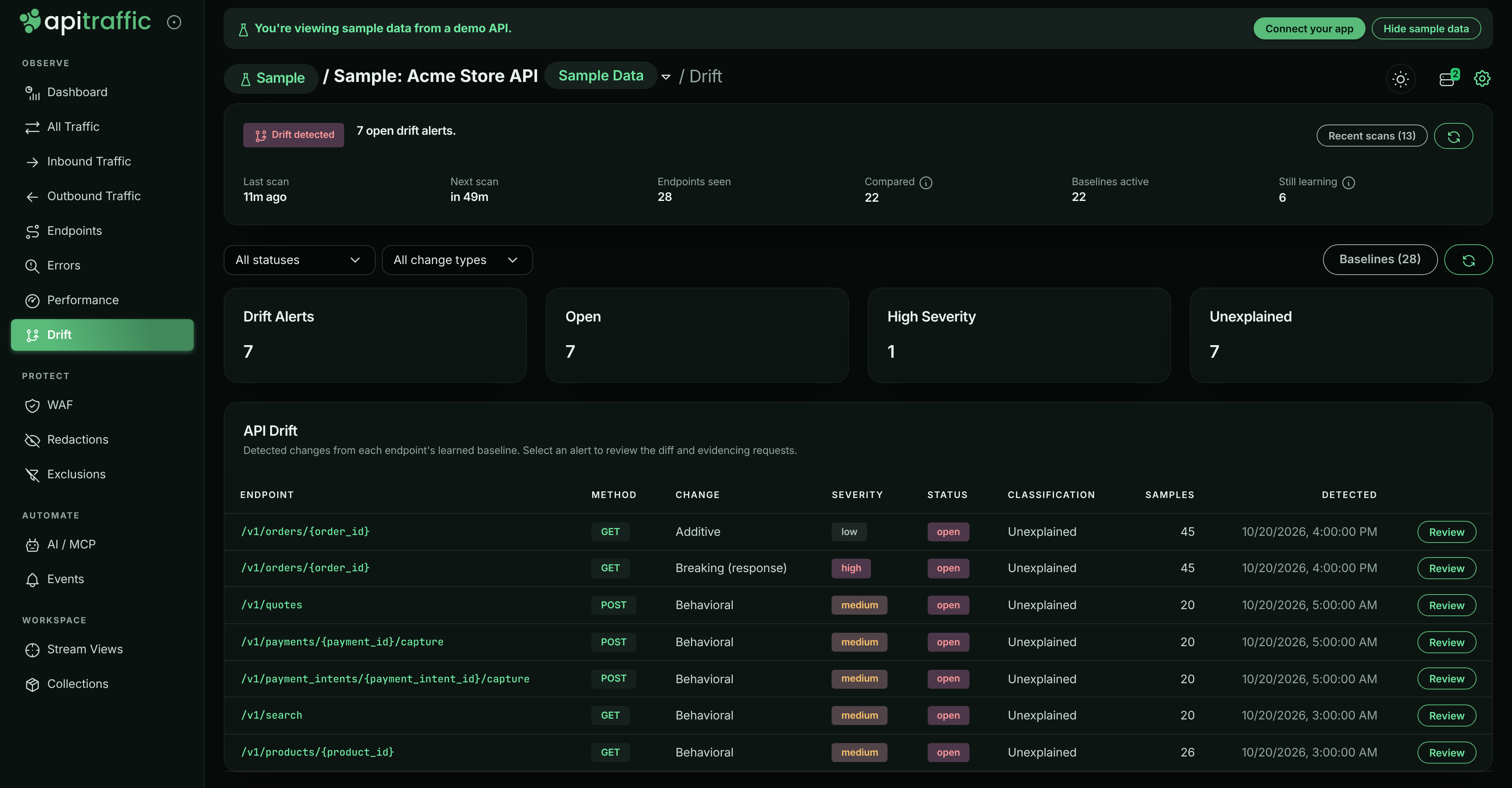
Open Drift. On days after a drift deploy, GET /v1/orders/{order_id} has findings for an added field (fulfillment.eta) and a breaking move (fulfillment.trackingNumber to fulfillment.tracking.number).
Drift findings on the order endpoint.
Check server health
Open Performance and choose the Servers tab to see acme-api-1 and acme-api-2, and how their CPU, memory and event-loop delay rise during the incident.
What you can and cannot do
You can search, filter, open, compare and chart anything in the sample bucket, and open its stream views and collections.
You can also run reports and view your dashboards on it: choose Sample: Acme Store API under Bucket in the report builder or a dashboard. Reports on the sample data run but are not saved, and a dashboard shows it only for your visit. If your plan does not include Custom reports, the report builder still runs reports on the sample data, but dashboards stay view only, on the sample data too: their tiles do not run and Bucket is not offered.
The sample bucket is read-only. You cannot send traffic to it, receive captures, create or edit stream views, collections, redactions, exclusions, firewall policies, workflows or bucket settings, share its requests, or delete anything. Write controls are hidden there, and the API answers such calls with 403 and code 2509.
Other things to know:
- It is not counted. The sample bucket does not count toward your plan’s bucket limit or your usage, and never triggers your workflows or webhooks.
- Every feature is shown, whatever your plan. Pages for features your plan does not include are fully populated on the sample bucket. The banner notes when a feature is available on a higher plan, with an Upgrade link. Your own buckets keep your plan’s limits.
- It is for people, not tokens. The sample bucket appears in the app only. API tokens and MCP connections do not see it, so your agents and scripts only ever read your own data.
- It does not affect setup. Nothing in the sample bucket ticks your setup checklist, and the setup page is not shown for it.
Turn the sample data on or off
The sample bucket is on for new accounts. Owners and admins can hide it for everyone on the account; members can see the setting but not change it.
Open the setting
Go to account settings and choose Sample data under Settings.
Switch it
Turn Show the sample bucket to everyone on this account off to hide it, or on to show it again. The change takes effect immediately for the whole team.
The Sample data setting.
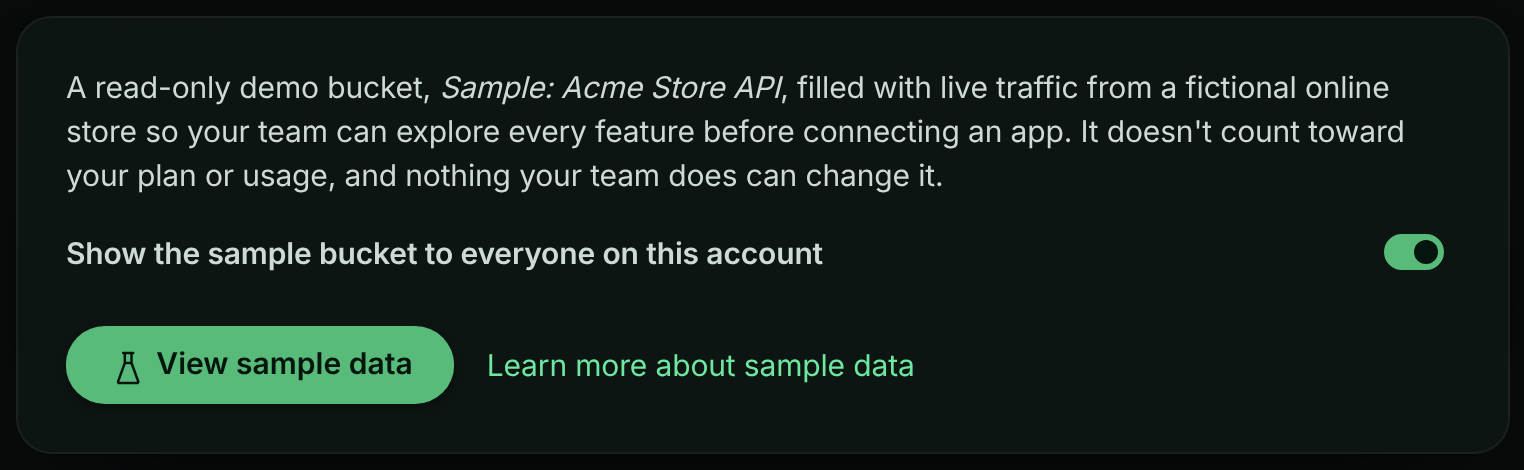
Owners and admins can also choose Hide sample data in the banner on the sample bucket. You are then moved to one of your own buckets.
If the Sample data item is missing from account settings, sample data is not available where your account is hosted.
You can also change the setting through the API: send showSampleData (true or false) to PATCH /v1/account/settings with an owner or admin credential.
Troubleshooting
A save or share button is missing on the sample bucket
That is expected. The sample bucket is read-only, so write controls are hidden. Switch to one of your own buckets to save views, share requests or change settings.
The API returns 403 with code 2509 or 2510
Code 2509 means the call tried to change the sample bucket. Code 2510 means sample data is turned off for your account; an owner or admin can turn it on again under Sample data.
The collections are empty
Collections are filled once a day at 14:50 UTC with the newest matching requests. If the sample data was only just set up, they fill on the first refresh.
I do not see the sample bucket in the bucket menu
An owner or admin may have hidden it. Ask one of them to turn it on under Sample data, or check that the Sample data item exists in account settings.
Related
-
Quickstart: Ready for your own traffic? Install the SDK in five minutes.
-
How ApiTraffic works: The model behind buckets, environments, requests and spans.
-
Request details: Read a request’s headers, bodies, waterfall and verdict.
-
How APM works: What the spans in the waterfall tell you.