
Choose what a blocked request receives
Reusable firewall block responses: the status code, content type, body and headers a request blocked by an ApiTraffic WAF policy receives, shared across policies and enforced offline.
A block response is what a request your WAF policy blocks receives: a status code, a content type, a body and a few caching headers. You write a response once, on the Block Responses tab of WAF, and pick it in any policy. Change a response and every policy that uses it is updated and pushed to your connected servers.
A policy that uses no response answers blocked requests with 403 Forbidden.
Use cases
- Take part of your API offline. Add a custom rule that blocks the paths you are working on, and give the policy a
503response with aRetry-Afterheader and a message saying when the service is back. - Explain a refusal. A
451for regions you cannot serve, or a403that tells the caller who to contact. - Match your error format. Send the same JSON error shape the rest of your API sends, so client code handles a block like any other error.
Create a response
The Block Responses tab, with the policies that use each response.
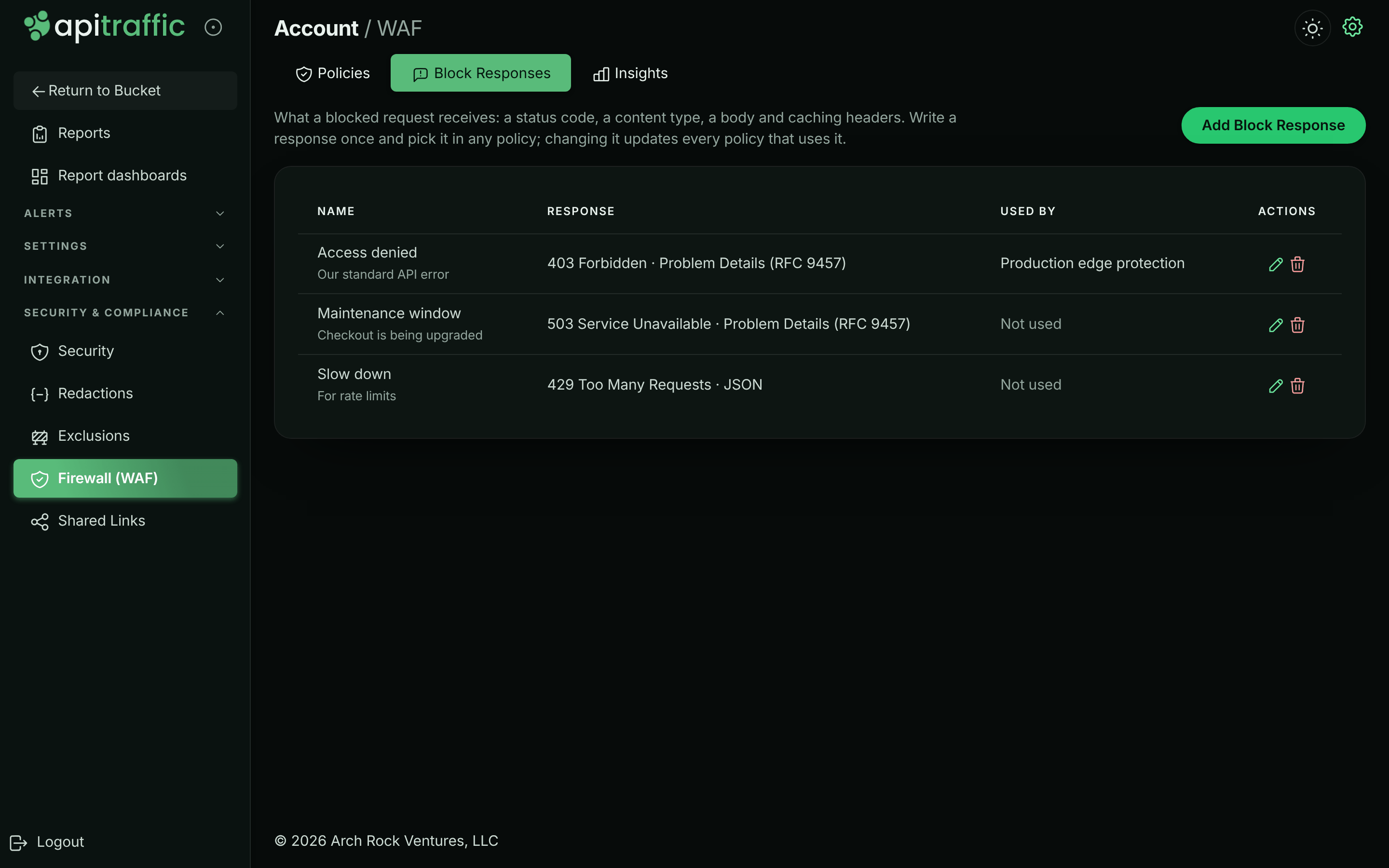
- Open WAF and select the Block Responses tab.
- Select Add Block Response.
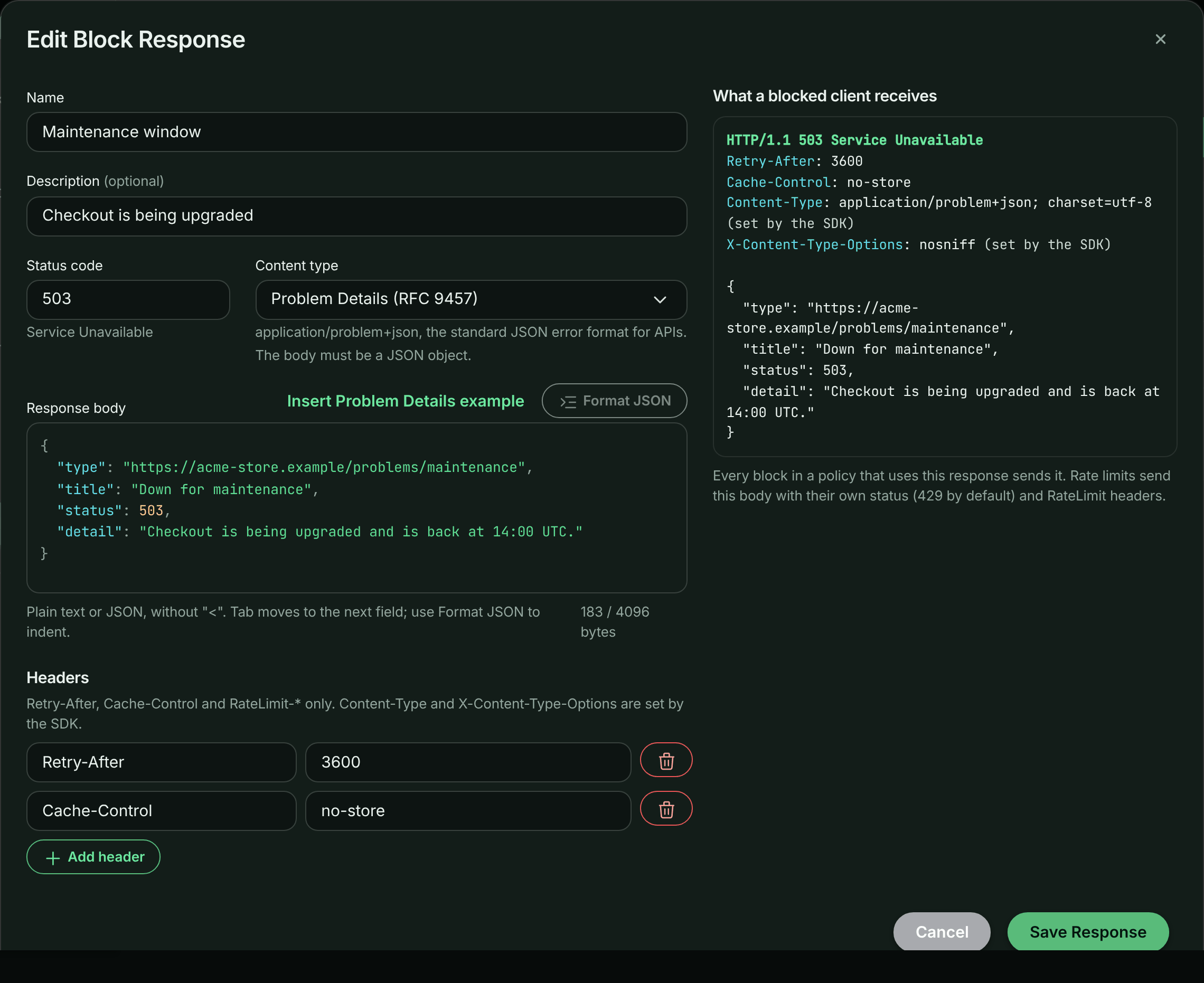
- Enter a name, then set the status code, content type, body and headers.
- Check the preview: it shows the status line, headers and body exactly as a blocked client receives them.
- Save.
Editing a response: the body editor beside a preview of exactly what a blocked client receives.
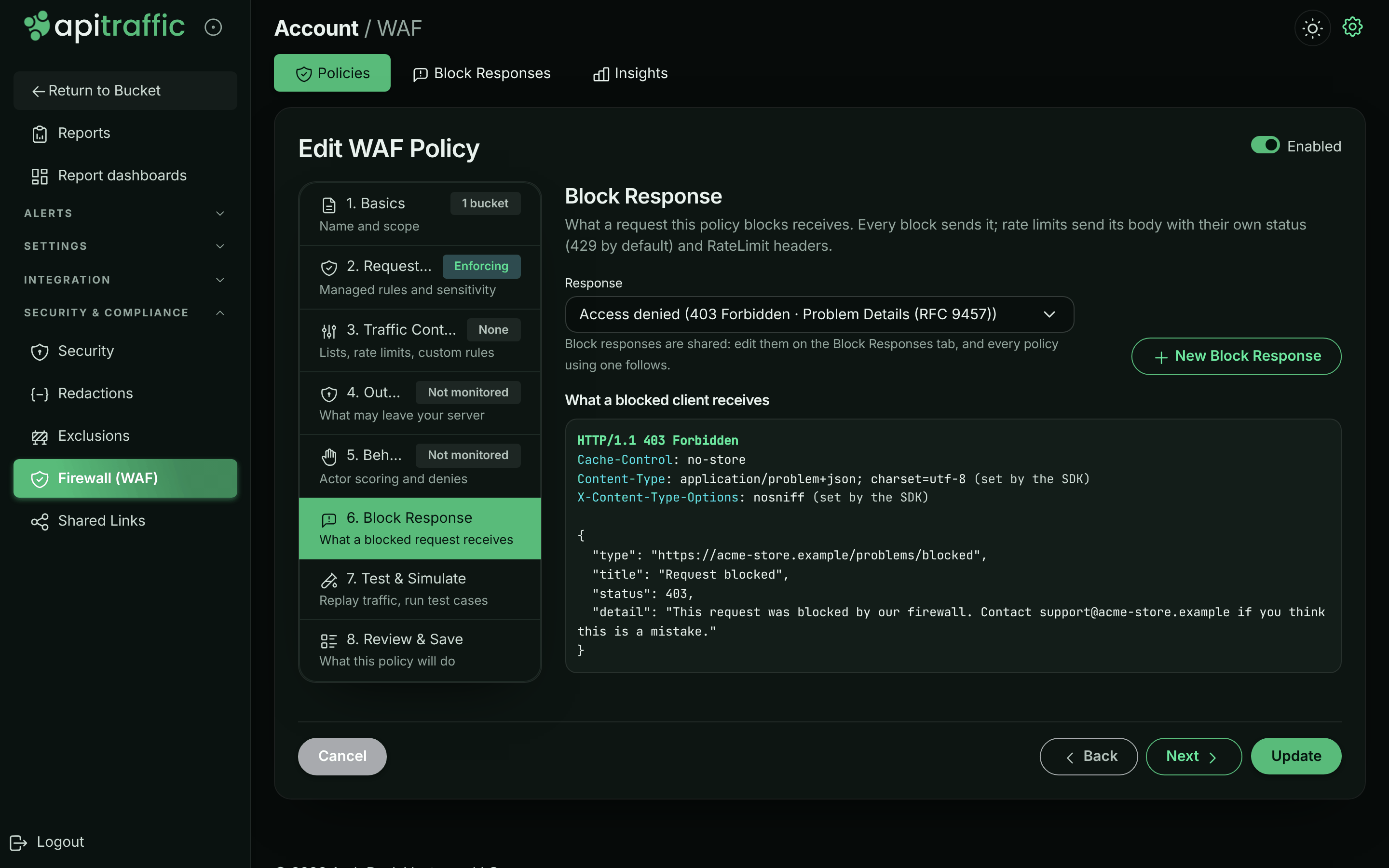
To use it, edit a policy and open its Block Response step. You can also create a response from that step.
A policy’s Block Response step.
Note: A response is only sent when the policy blocks. In Monitor mode a policy records what it would block and lets every request through.
Content type
| Content type | Sent as | The body must be |
|---|---|---|
| Auto | application/json when the body is a JSON object or array, otherwise text/plain |
anything |
| JSON | application/json; charset=utf-8 |
a JSON object or array |
| Problem Details | application/problem+json; charset=utf-8 |
a JSON object |
| Plain text | text/plain; charset=utf-8 |
anything |
Problem Details (RFC 9457) is the standard JSON error format for HTTP APIs, and the default for a new response:
{
  "type": "about:blank",
  "title": "Service Unavailable",
  "status": 503,
  "detail": "Billing is offline for maintenance until 14:00 UTC."
}
A Problem Details body’s top-level status is rewritten to the status the response is actually sent with: when a rate limit answers 429 with it, servers change the member to 429, as RFC 9457 requires. The body is sent as written when its top-level status is missing or not a number, or when the rewrite would take it past the 4096-byte limit.
Every response also carries X-Content-Type-Options: nosniff. HTML, XML and SVG are not available: the body is served from your own domain, and a browser would render those as a page.
Info: SDK 2.x releases from before content types answer with Auto whatever the response says: a Problem Details response then goes out as
application/json, which clients still parse. Releases before 2.0.0 send the body with your framework’s default content type (text/htmlon Express), so upgrade before relying on a JSON response.
Reference the blocked request
Write {context_id} anywhere in the body, and each blocked request’s response carries that request’s ApiTraffic context id (ctx_…) in its place. A caller who quotes it in a support ticket hands you the exact request, when it was recorded: paste the id into the request log’s Advanced search box, or search for context_sid == ctx_…, to open it with the firewall’s verdict and the rules that matched. The search covers the log’s time range, so widen it to when the request was blocked.
In Problem Details, put it in instance, the member RFC 9457 has for “this occurrence”:
{
  "type": "about:blank",
  "title": "Forbidden",
  "status": 403,
  "detail": "This request was blocked by our firewall. Quote the instance below when you contact support.",
  "instance": "{context_id}"
}
Select Insert {context_id} to put it where the cursor is. In a JSON object with the cursor outside a string, it is added as instance in Problem Details (or context_id when instance is taken), or as a context_id member. When both are taken, or in a JSON array, put the cursor inside a string. The preview shows it with an example id.
- Every
{context_id}in the body is filled in. The id is 31 characters, and the 4,096-byte limit counts it filled in. A body the id would take past the limit is sent with the placeholder left empty. - Inside a JSON string, the body stays valid JSON.
- The body differs for every request, so shared caches must not store it. Without a
Cache-Controlheader, servers send it withCache-Control: no-store; aCache-Controlyou set must includeprivateorno-store(one that doesn’t is refused on save, and servers leave the id out). - The id is the one the request is captured under, so it needs the ApiTraffic SDK capturing the request, with
apitraffic.middleware()mounted before the firewall as in Set up the firewall. Without it, the placeholder is left empty. - It needs
@apitraffic/waf2.1.0 or later. Older versions send{context_id}as written.
Body and headers
- The status is 200 to 599, except
204,205and304, which carry no body. - The body is at most 4,096 bytes and cannot contain
<. SDK releases before 2.0.0 serve the body as HTML, so markup is refused for every response. - Headers are limited to
Retry-After,Cache-ControlandRateLimit-*. Cookies, redirects and CORS headers cannot be set from a block response. - A block answers one client: one that hit a rate limit, or comes from a denied IP or country. Give
Cache-Controlprivateorno-store, or a CDN in front of your API can store that block and serve it to every client of the URL. The editor warns when it does not.
What uses the response
Every block a policy makes sends its response: managed rules, custom rules, IP, country, user-agent and path lists, and structural limits. Rate limits send the response body with their own status (429 by default) and RateLimit-* headers, and behavioral denies send it with their own status.
When ApiTraffic is unreachable
A policy carries its response’s content, so the response is part of the policy your servers receive, and of every offline definitions tier: the disk cache, the CDN mirror and the pinned .apitraffic/definitions/sdk.json. A server that boots while ApiTraffic is unreachable answers blocked requests exactly as a live one does.
Changing a response changes the definitions of every policy that uses it. Like any rule change, it updates the definitions pull request in a linked repository, and definitions check flags a pinned file that predates it.
Delete a response
A response in use cannot be deleted. Pick another response for the policies that use it, then delete it from the Block Responses tab.
API
Block responses are managed at /v1/accounts/{accountSid}/waf-block-responses. A policy names its response with blockResponseSid, and its defaultBlock then follows that response: your servers enforce defaultBlock, and the response’s content is copied into it whenever either changes.
blockResponseSid: null, or adefaultBlocksent withoutblockResponseSid, gives the policy its own response, as before block responses existed. AdefaultBlockthat carries the linked response’s content back unchanged (as a client that predates block responses sends it) keeps the link.- An update that sends neither keeps what the policy has.
- A body may contain
{context_id}, filled with each blocked request’s context id. See Reference the blocked request. - An update of a response (
PUT) changes only the fields it sends. SendexpectedUpdatedAt(theupdatedAtyou loaded) to have it refused with409if someone changed the response since; the error’sdata.updatedAtis the version stored now.