
SSRF in Node.js: the fetch() you didn't mean to make
Why URL string checks fail, a tested safeFetch() for undici that blocks private IPs and redirects, and a checklist.
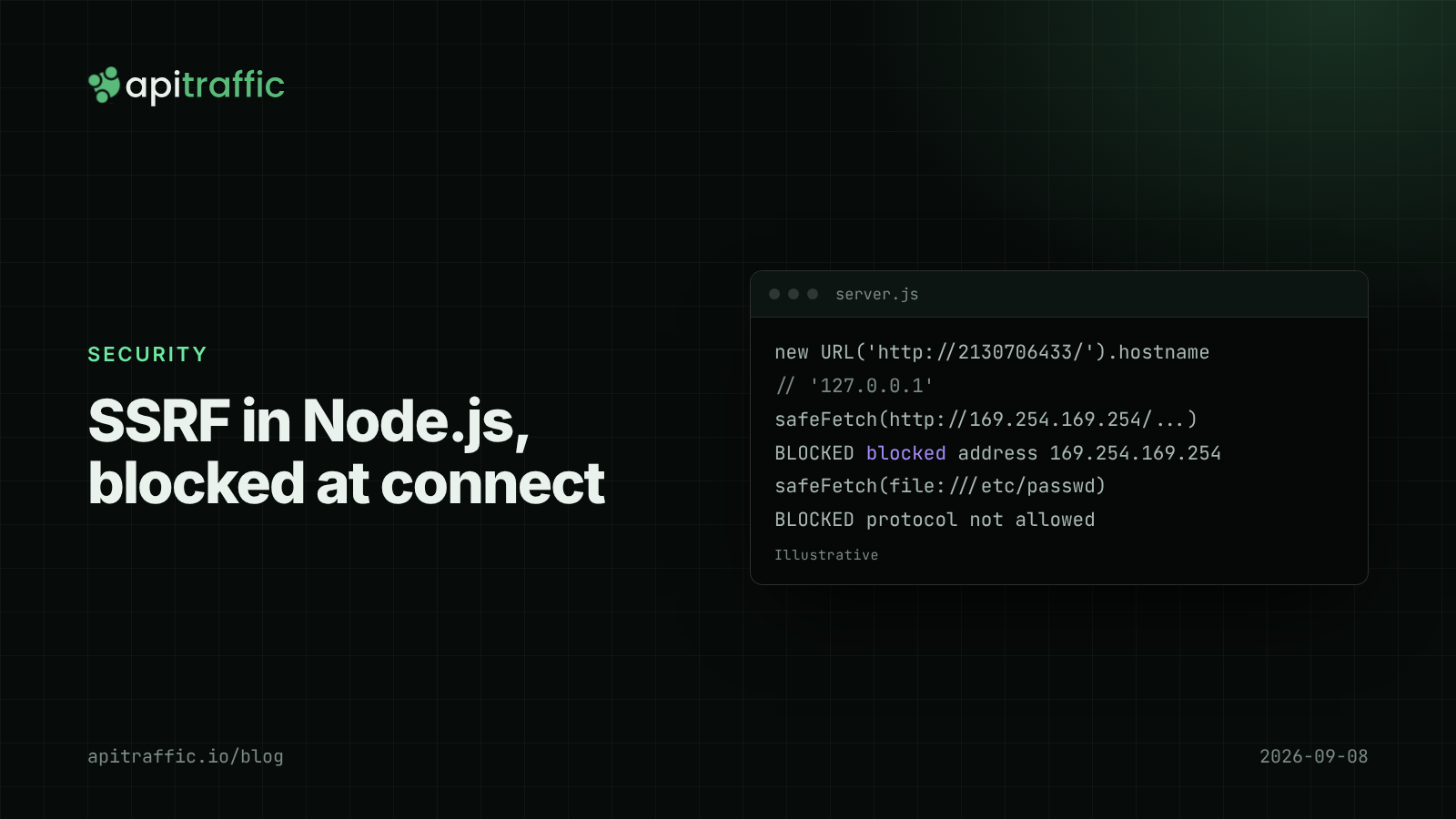
You ship a webhook feature: customers paste a URL, your API calls it when an order changes. A week later someone pastes http://169.254.169.254/latest/meta-data/ and your server politely fetches your cloud instance’s metadata. That is server-side request forgery, and SSRF in Node.js usually starts with a single fetch(userSuppliedUrl).
The direct answer: if your API fetches any URL a user can influence (webhooks, link previews, image imports, “import from URL”, OAuth callbacks), allow only http/https, resolve the hostname and refuse private, loopback and link-local addresses at connect time, re-check every redirect, and set a timeout. String checks on the URL are not enough. Below is a tested safeFetch() for Node’s fetch and undici that does all of this.
Where SSRF hides in a Node API
OWASP lists SSRF as API7 in its 2023 API Security Top 10. In a typical Express or Fastify API it turns up in:
- Webhook endpoints that customers configure.
- Link previews and unfurling, which fetch a page to read its title and image.
- “Import from URL” for avatars, CSVs or documents.
- PDF or screenshot rendering of user-provided HTML or URLs.
- HTTP clients with a
baseURLwhere part of the path comes from the user.
The last one is subtle. In axios before 1.8.2, an absolute URL passed to an instance with a baseURL was sent to that absolute URL rather than appended to the base (CVE-2025-27152, published March 2025). Version 1.8.2 added the allowAbsoluteUrls option to the HTTP adapter, and it still defaults to true; set it to false on instances that should only ever talk to one host.
Why URL string checks fail
Blocking localhost and 127.0.0.1 in the URL string does not work. The WHATWG URL parser normalizes many spellings of the same address:
http://2130706433/          -> hostname 127.0.0.1
http://0x7f.1/              -> hostname 127.0.0.1
http://127.1/               -> hostname 127.0.0.1
http://017700000001/        -> hostname 127.0.0.1
http://[::ffff:127.0.0.1]/  -> hostname [::ffff:7f00:1]
Hostnames are worse. internal.example.com can resolve to 10.0.0.5, and with DNS rebinding a name can resolve to a public IP when you check it and a private one when you connect. The ip npm package’s isPublic() was itself bypassable with unusual address formats (CVE-2024-29415, May 2024). The reliable place to check is the IP address the socket actually connects to.
How to prevent SSRF in Node.js with undici
Node’s global fetch is built on undici, and undici’s Agent accepts a custom DNS lookup for its connections. That hook sees the resolved address right before connecting, which closes the rebinding gap.
// safe-fetch.js
import { Agent, fetch } from 'undici';
import { BlockList, isIP } from 'node:net';
import dns from 'node:dns';

const blocked = new BlockList();
for (const [net, prefix] of [
  ['0.0.0.0', 8], ['10.0.0.0', 8], ['100.64.0.0', 10], ['127.0.0.0', 8],
  ['169.254.0.0', 16], ['172.16.0.0', 12], ['192.168.0.0', 16],
]) blocked.addSubnet(net, prefix, 'ipv4');
for (const [net, prefix] of [['::', 128], ['::1', 128], ['fc00::', 7], ['fe80::', 10]])
  blocked.addSubnet(net, prefix, 'ipv6');

function isBlocked(address) {
  const v = isIP(address);
  if (v === 6 && /^::ffff:/i.test(address) && isIP(address.slice(7)) === 4) {
    return blocked.check(address.slice(7), 'ipv4'); // IPv4-mapped IPv6
  }
  return blocked.check(address, v === 6 ? 'ipv6' : 'ipv4');
}

function safeLookup(hostname, options, callback) {
  dns.lookup(hostname, { ...options, all: true }, (err, addresses) => {
    if (err) return callback(err);
    const bad = addresses.find((a) => isBlocked(a.address));
    if (bad) return callback(Object.assign(new Error(`blocked address ${bad.address}`), { code: 'ESSRF' }));
    if (options.all) return callback(null, addresses);
    callback(null, addresses[0].address, addresses[0].family);
  });
}

const agent = new Agent({ connect: { lookup: safeLookup } });

function checkUrl(raw) {
  const url = new URL(raw);
  if (url.protocol !== 'https:' && url.protocol !== 'http:') throw new Error('protocol not allowed');
  if (url.username || url.password) throw new Error('credentials in URL not allowed');
  const host = url.hostname.replace(/^\[|\]$/g, '');
  if (isIP(host) && isBlocked(host)) throw new Error(`blocked address ${host}`); // literal IPs skip DNS
  return url;
}

export async function safeFetch(raw, { maxRedirects = 3, timeoutMs = 5000, ...init } = {}) {
  let url = checkUrl(raw);
  for (let hop = 0; ; hop++) {
    const res = await fetch(url, {
      ...init,
      dispatcher: agent,
      redirect: 'manual',
      signal: AbortSignal.timeout(timeoutMs),
    });
    const location = res.headers.get('location');
    if (res.status < 300 || res.status > 399 || !location) return res;
    if (hop >= maxRedirects) throw new Error('too many redirects');
    await res.body?.cancel();
    url = checkUrl(new URL(location, url)); // re-check every hop
  }
}
Run against a local server, every bypass from the previous section is refused:
http://127.0.0.1:3021/            BLOCKED blocked address 127.0.0.1
http://2130706433:3021/           BLOCKED blocked address 127.0.0.1
http://[::ffff:127.0.0.1]:3021/   BLOCKED blocked address ::ffff:7f00:1
http://localhost:3021/            BLOCKED blocked address 127.0.0.1
file:///etc/passwd                BLOCKED protocol not allowed
http://169.254.169.254/latest/... BLOCKED blocked address 169.254.169.254
Why each piece is there
- The literal IP check exists because a URL with an IP address never triggers a DNS lookup, so
safeLookupalone would lethttp://127.0.0.1/through. redirect: 'manual'stops undici from following a302tohttp://169.254.169.254/on its own. In Node, a manual redirect returns the real3xxresponse with itsLocationheader.- The timeout stops a slow or hanging target from tying up your server; see fetch timeouts in Node.js for the details of
AbortSignal.timeout(). - Import
fetchandAgentfrom the same undici package. Passing an npm undiciAgentto the globalfetchcan work, but the bundled and npm versions can drift apart.
Extend the blocklist for your network: add your VPC ranges, and any IPv6 ranges you route internally.
SSRF in Node.js on cloud platforms
The prize in most SSRF attacks is cloud credentials. On AWS EC2 the instance metadata service lives at 169.254.169.254; on ECS, task credentials come from 169.254.170.2. Both fall inside 169.254.0.0/16, which the code above blocks. Two more layers are worth an afternoon:
- On EC2, require IMDSv2, which needs a
PUTrequest to get a session token first and blocks the simpleGET-based SSRF. - Run URL-fetching work (webhooks, previews) in a separate worker or service with no cloud credentials and outbound-only network access.
On PaaS hosts like Render, Railway, Fly.io or Heroku the metadata risk differs, but internal services on the private network are still reachable. The same rules apply.
SSRF prevention checklist
- [ ] Every user-influenced URL goes through one
safeFetch(); no rawfetch(req.body.url). - [ ] Only
http:andhttps:; no credentials in URLs. - [ ] Resolved IPs checked at connect time, including literal IPs and IPv4-mapped IPv6.
- [ ] Redirects followed manually and re-checked, with a hop limit.
- [ ] Timeouts and a maximum response size.
- [ ] axios instances with a
baseURLsetallowAbsoluteUrls: false. - [ ] IMDSv2 required on EC2.
- [ ] Outbound requests logged with the destination host.
A solo developer can grep for fetch(, axios and got( calls that take request data, route them through safeFetch(), and be done in an afternoon. A team of ten should also add a lint rule or code-review check that bans fetching user-provided URLs any other way, and move webhook delivery to a worker with its own network policy.
FAQ
What is SSRF in Node.js?
Server-side request forgery is when an attacker makes your server send a request to a destination they choose, usually an internal service or cloud metadata endpoint. In Node.js it usually comes from passing user input to fetch, axios or another HTTP client.
Does Node’s fetch protect against SSRF?
No. Node’s built-in fetch follows redirects and connects to any address, including 127.0.0.1 and 169.254.169.254. You need to add the checks yourself, as above, or use a library that does.
Is blocking private IP ranges enough to stop SSRF?
It stops the most damaging cases, if you check the resolved IP at connect time and re-check redirects. For high-risk features, also isolate URL fetching in a service with no credentials and restricted network access.
Doing this with ApiTraffic
If you would rather not stitch together outbound visibility yourself, ApiTraffic logs outbound requests alongside inbound ones, and APM attributes each outbound fetch span to the request that started it. A webhook or preview call to an unexpected host shows up on the request’s waterfall, tied to the user input that caused it (more on logging outbound HTTP requests).
On the inbound side, firewall access lists can deny by IP, CIDR, country, ASN or path, with monitor mode to check a rule before it blocks.
Start free and see every outbound call your API makes: apitraffic.io
Sources: OWASP API Security Top 10 2023: API7 Server Side Request Forgery; undici Agent and connect options; Node.js net.BlockList; NVD: CVE-2025-27152 (axios), March 2025; NVD: CVE-2024-29415 (ip), May 2024.
Keep reading
Node.js fetch timeout: deadlines with AbortSignal and undici
One slow vendor and every handler hangs, because Node fetch waits up to five minutes by default. Here is how to set deadlines with AbortSignal and undici in Express and Fastify.
How to log outbound HTTP requests in Node.js
Your API threw 502s because a provider was timing out, and your logs said nothing. Log outbound HTTP requests from fetch and axios with diagnostics_channel in an afternoon, then read error rate and p95 per host.
BOLA vulnerability in Node APIs: how to fix IDOR and catch it in your logs
Change one digit in a URL and get another customer's invoice. Here is how to fix BOLA and IDOR structurally and spot someone probing for it before they find a gap.