
Your MCP server is an API. Debug it like one.
Remote MCP servers fail in production for the same reasons any API does: sessions, auth and proxies.
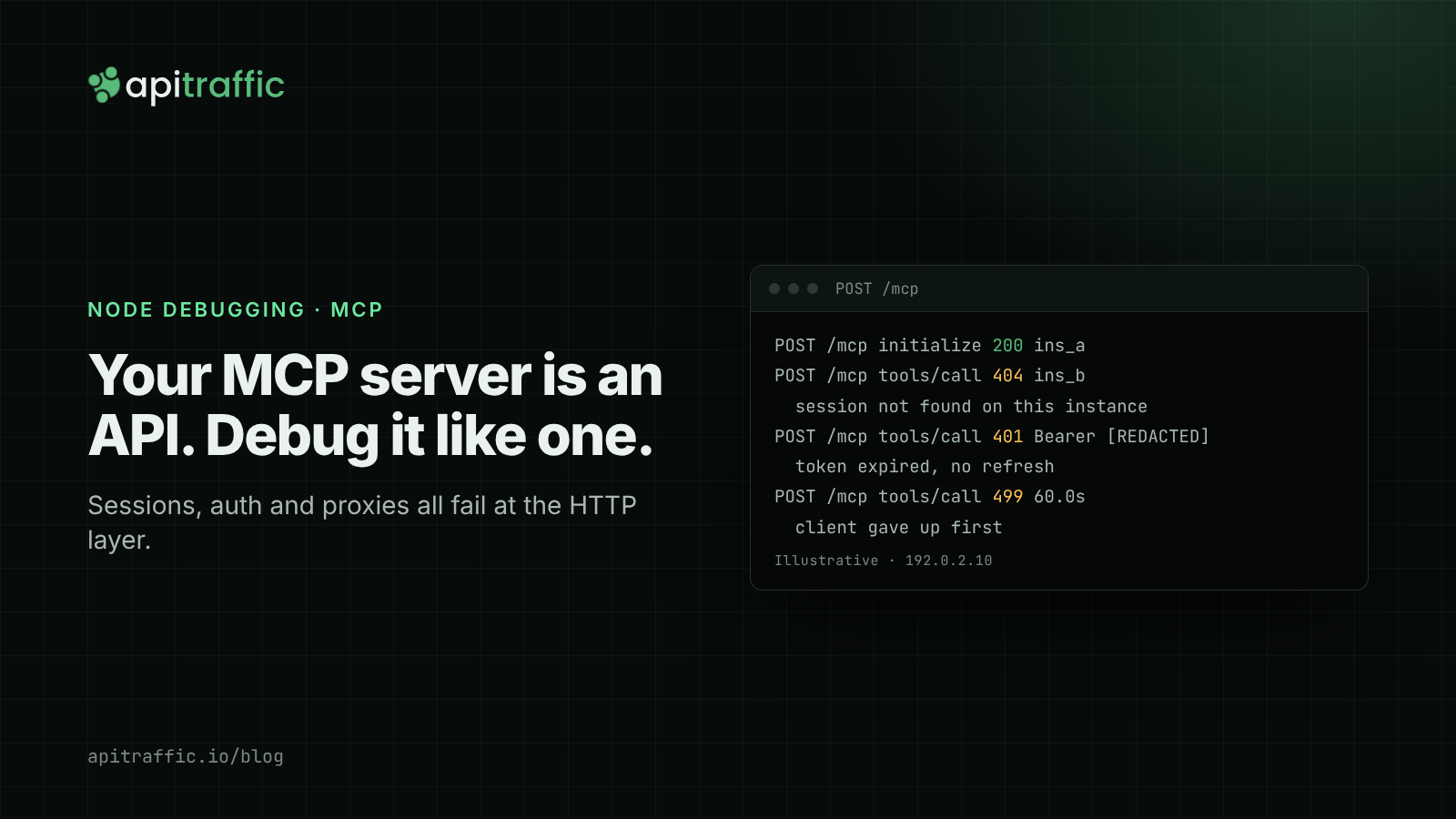
Your remote MCP server passed every test on localhost. It worked in a single container. Then it went behind a load balancer, picked up real OAuth and a proxy or two, and the agent started reporting “tool call failed” with no further detail.
The agent can’t tell you much more than that. The HTTP layer can. A remote MCP server is an HTTP API with JSON-RPC in the body, and nearly every production failure has a status code, a header and a duration attached. Most teams just aren’t logging that layer.
This post covers the three failures that come up again and again (lost sessions, auth, and proxies or rate limits), what each one looks like on the wire, and the logging baseline that makes each of them a two-minute search instead of an afternoon.
What Streamable HTTP puts on the wire
Streamable HTTP is the remote transport in the MCP spec. The basics haven’t changed across revisions:
- One endpoint, for example
POST /mcp. Every JSON-RPC message from the client is its own POST. - The client sends
Accept: application/json, text/event-stream. - The server answers a request either with a single JSON body (
Content-Type: application/json) or with an SSE stream (Content-Type: text/event-stream) that ends with the response. - Requests carry an
MCP-Protocol-Versionheader. On older revisions that’s every request afterinitialize. On 2026-07-28 it’s every POST.
Which revision your server speaks matters for the first failure below:
- 2025-03-26 through 2025-11-25. A server MAY assign a session at initialize by returning an
Mcp-Session-Idheader, and the client MUST send it on every later request. Once a server ends a session, it MUST answer requests carrying that ID with404 Not Found. A client that gets a 404 MUST start over with a newinitialize. - 2026-07-28 (the current revision, changelog). Protocol-level sessions are gone, and so is the
initializehandshake. Each request carries its protocol version and client capabilities in_meta. POSTs also mirror the JSON-RPC method and target into headers (Mcp-Method: tools/call,Mcp-Name: get_weather) so that load balancers and logging can read them without parsing the body.
Here is a session-era request and the failure it hits most often, with each value labelled:
POST /mcp HTTP/1.1
Host: mcp.example.com
Accept: application/json, text/event-stream
Content-Type: application/json
MCP-Protocol-Version: 2025-06-18
Mcp-Session-Id: 1868a90c-7c1e-4b0e-9d1f-2f6a3e0b5c11   # minted at initialize
Authorization: Bearer eyJhbGciOi...

{"jsonrpc":"2.0","id":7,"method":"tools/call",
 "params":{"name":"search_orders","arguments":{"status":"failed"}}}

HTTP/1.1 404 Not Found       # this process never saw that session
Illustrative example.
Failure 1: sessions behind a load balancer
Symptom. initialize succeeds. The first or second tools/call returns 404. Retrying sometimes works. It always works with one replica.
Cause. Most servers keep the session map in memory. The process that handled initialize knows the session ID and the other replicas don’t. Round-robin sends the next call to a replica that has never seen the session, and that replica correctly answers 404 for a session it doesn’t recognise. Some clients re-initialize when this happens and some give up, so you get a flaky “sometimes” bug instead of a clean failure.
How to prove it. For one session ID, look at which instance answered initialize and which instance answered the 404. If they differ every time, you’ve found the cause. If you only have stdout logs from each replica, you’re now grepping several hosts for the same UUID.
Fixes, from least to most change:
- Sticky routing on
Mcp-Session-Id. Most load balancers can hash on a header. The catch is that the first request (initialize) carries no session ID yet, so it can land anywhere. That’s fine, because the session is created wherever it lands. - A shared session store. Keep the session state in Redis (or similar) so that any replica can serve any session.
- Go stateless. If your tools don’t need per-session state, run the transport without minting session IDs. The 2026-07-28 revision makes this the protocol’s default: there are no protocol sessions, and servers that need state across calls pass explicit handles as ordinary tool arguments. A server on that revision that receives an
Mcp-Session-Idfrom an older client is told to ignore it.
Failure 2: auth
Remote MCP auth is OAuth 2.1, with the MCP server acting as a resource server. When it breaks, the status code tells you a lot about where it broke.
A 401 on the very first call. This is expected once, because that’s how discovery starts. The spec requires the server to return 401 with a WWW-Authenticate header pointing at its protected resource metadata (RFC 9728). The client fetches that metadata, finds the authorization server, runs the flow with PKCE and a resource parameter, and comes back with a token. If you see the 401 and never see a follow-up GET /.well-known/oauth-protected-resource, the client couldn’t parse your WWW-Authenticate header, or the header isn’t there.
A 401 on every call, even with a token. Token validation is failing. Check these first:
- Audience. The spec says the server MUST reject tokens that weren’t issued for it. A token minted for a different
resourceURI (trailing slash, a different path,httpinstead ofhttps) fails here. - Clock skew. If
nbforexpis checked against a container clock that has drifted, freshly issued tokens can fail validation. - Issuer and keys. Check the JWKS URL, key rotation, and that the issuer matches exactly.
A 401 that starts about an hour in. The token expired and the refresh path didn’t run. Invalid or expired tokens MUST get a 401, so the server is doing its job. Look at what the client does next: does it refresh and retry, or does it surface “tool call failed”?
A 403. The token is valid but its scopes aren’t enough for this call. That’s an authorization (permissions) problem, not an authentication one.
Two rules apply here. First, never pass the client’s token through to upstream APIs your tools call: the spec forbids it, and each upstream needs its own token. Second, log the auth scheme and never the token.
Failure 3: proxies, timeouts and rate limits
Long tool calls that stream progress over SSE are where infrastructure defaults start to hurt.
- Buffering proxies. nginx and similar proxies can hold SSE events in a buffer, so progress arrives all at once at the end or not at all. The 2026-07-28 revision says servers SHOULD send
X-Accel-Buffering: nowhen they open an SSE stream. Do it on any revision. - Idle timeouts. A load balancer with a 60-second idle timeout will cut a quiet stream. Send SSE comment lines (
:on its own line) as keep-alives during long quiet stretches. - Clients giving up. The client times out and closes the connection before you respond. The handler often keeps working, and its result goes nowhere. What a disconnect means depends on the revision. Up to 2025-11-25, a disconnect SHOULD NOT be read as cancellation. In 2026-07-28, closing the response stream is the cancellation signal, and the server SHOULD stop the work.
- 429s. These come either from your own limiter on
/mcpor from an upstream API a tool calls. An agent in a retry loop can trip a limit faster than any human user.
What to look at: the duration, the status, and whether the response finished. A request that ran for 60.0 seconds and never completed is a timeout somewhere in between. A 429 whose Retry-After the agent ignored is a client problem. An inbound call that’s slow because of one outbound call inside it is a dependency problem.
A logging baseline for MCP servers
Whatever tool you use, capture this for every request:
| Field | Why |
|---|---|
| Method, path, status, duration | The basics, and enough to spot 404s, 401s and timeouts |
Mcp-Session-Id (older revisions) |
To follow one session across replicas |
| Instance or process ID | To prove the load balancer problem in Failure 1 |
| JSON-RPC method and tool name | So “tools/call is slow” becomes “search_orders is slow” |
| Auth scheme, with the token redacted | Bearer [REDACTED], never the token |
| Whether the response completed | To tell a timeout from a slow success |
| Every outbound call, linked to its inbound request | Most slow tools are slow because of someone else’s API |
If you build this yourself, it’s middleware in front of the transport, a body parser that pulls method and params.name out of the JSON-RPC body, an outbound HTTP hook, and somewhere searchable to send it all. That’s a few days of work you’ll be maintaining after that.
Do it with ApiTraffic
The MCP transport is mounted on an ordinary Express or Fastify app, so the standard Node SDK captures it like any other route. Register ApiTraffic before the MCP route:
const express = require('express');
const apitraffic = require('@apitraffic/node');

const app = express();
app.use(express.json());          // body parser first
app.use(apitraffic.express());    // then ApiTraffic, before your routes

app.post('/mcp', handleMcp);      // your Streamable HTTP transport

app.listen(3000);
Set API_TRAFFIC_TOKEN and API_TRAFFIC_BUCKET in the environment and restart. ApiTraffic recognises MCP and JSON-RPC calls and records the method and tool name, so you can search them directly in Advanced mode without turning on body search.
Failure 1, sessions. Find the 404s on the MCP endpoint, then follow one session:
endpoint_kind == "mcp" AND status_code == 404
request_header:mcp-session-id == "1868a90c-7c1e-4b0e-9d1f-2f6a3e0b5c11"
Each request records the instance (the process that served it) and the machine. If initialize and the 404 have different instances, the load balancer is your problem.
Failure 2, auth. endpoint_kind == "mcp" AND status_code == 401 shows every rejected call. The Authorization header is masked by default, with the scheme kept (Bearer [REDACTED]), so you can see what kind of credential arrived without storing it.
Failure 3, slow tools and dropped clients.
mcp_tool == "search_orders" AND duration > 5000
endpoint_kind == "mcp" AND status_code == 499
direction == "out" AND status_code == 429
A client that disconnects before the response finishes is recorded as 499. Outbound calls your tools make with http, https or fetch are captured automatically and linked to the inbound request that made them, so a slow tools/call opens straight onto the upstream call that slowed it. SSE responses on Express and Fastify are captured from the bytes sent, up to the body size limit.
Add your own context. apitraffic.tag('tenant', orgId) inside a tool handler makes every call searchable by customer.
Rate-limit the endpoint. A firewall rate limit on /mcp refuses calls over the limit with 429 and a Retry-After header, and you set it from the dashboard with no deploy. Counting happens in memory on each server, so a limit applies per instance unless you choose the approximate fleet mode.
The short version
- A 404 with a session ID means a different replica answered. Fix it with sticky routing, a shared store or stateless mode.
- A 401 on the first call is discovery. A 401 on every call is audience or clock skew. A 401 an hour in is a refresh path that isn’t running.
- A 60-second hang is a timeout, a 499 means the client gave up, and a 429 is a limiter, yours or an upstream’s.
- Log the instance, the method and tool name, and every outbound call, and redact tokens by default.
Your MCP server is an API. Give it the logging any production API gets.
See what’s hitting your API: apitraffic.io
Keep reading
What small Node teams should log in the AI-attack era
Bots are now more than half of web traffic, and 27% of attacks target APIs and identity systems. You don't need a security team to see it, just the right fields on every request. Here's the minimum to capture, five patterns to watch, and when to block.
API key security for Node APIs: prefixes, hashing, scopes and rotation
A customer just pushed their API key to a public repo. Can you tell if anyone used it, and could a database leak expose every key? Design API key security in Node properly: prefixes, hashing, scopes and rotation.

W3C Trace Context in Node.js: correlating requests across services with traceparent
Three services, three log streams, one failed order, and nothing to join them on. W3C Trace Context gives every hop the same trace ID. Here is how to propagate traceparent in Node with OpenTelemetry, or in 30 lines without it.